
Top 10 AI Search Engines: Complete Guide [2025]
Searching has never been easier. With artificial intelligence search engines, you can discover, access, and research topics easier than ever before.
Before, search engines relied on keyword matching to retrieve the info you were looking for. But now, with the rise of artificial intelligence, a new type of search engine has emerged.
A stronger and more sophisticated one that uses advanced technologies to understand user queries and produce accurate results.
But which are the best AI search engines? In our search, we've discovered the 10 best AI search engines, which we can explore together in this guide.
Let's dive in!
What is an AI search engine?
An AI search engine uses artificial intelligence and machine learning to understand user queries contextually, delivering direct answers and summaries instead of just links. In fact, a Pew Research Center study found that in March 2025, one-in-five Google searches produced an AI summary. Unlike traditional keyword-based search, AI search engines interpret intent and meaning to provide more relevant, conversational results.
With the definition out of the way, let's see how AI search engines work.
How do AI search engines work?
According to Statista, around 68% of adults use generative AI for answering questions; which means that more search engines will use AI technologies to improve their services.
But how exactly do AI search engines work?
AI search engines work through a sophisticated process:
Data indexing: They crawl and extract information from web pages, including text, images, and links
Content analysis: Advanced algorithms analyze individual words and their relationships to understand context
Query processing: When you search, the engine pulls the most relevant information from its database to answer your question
But what's the difference between AI-powered search and traditional search engines? Let's find out.
How does AI-powered search differ from traditional search engines?
The main difference between AI-powered search engines and traditional ones is the method of providing answers to search queries:
Continuous learning over new queries – AI search engines constantly learn from past user interactions, improving the quality of their search capabilities over time. Whenever you perform a search on traditional engines, it gives results as if you've just interacted with it for the first time.
Summarize, not links – With regular search engines, we're used to getting a list of links when performing the search, a short description underneath each page. But with AI search engines, you'll get a concise summary of all search results, giving the answer at the top of the page. This changes user behavior, as users who see an AI summary clicked on a search result link nearly half as often as those who didn't.
Semantics vs. keywords – Traditional search engines do one thing well: keyword matching. But AI-powered ones focus on semantics, considering the whole context of a sentence when performing a search.
As you can see, there are a few differences between the two. In conclusion? AI-powered search engines are way more intuitive, able to improve the user experience and help them find an answer quickly.
Now, let's get to the part that interests you the most: the 10 best AI search engines.
What are the 10 best AI search engines?
Around 13 million adults in the United States claimed to have used gen AI as their primary tool for online search, a number that is projected to reach over 90 million online users by 2027.
But which tools do they use? Probably one from this list:
ChatGPT — Best AI chatbot for performing search queries.
Andi Search — Best combination of AI chatbot and search engine.
Google SGE — Best experimental AI search engine by Google.
Microsoft Copilot — Best AI chatbot for the Bing search engine.
Perplexity AI — Best AI search engine with chatbot functionalities.
Waldo Search — Best AI assistant for research purposes.
Phind — Best AI answer engine for developers.
Brave Search — Best standalone browser with an AI-powered search engine.
Komo — Best free AI search engine with privacy capabilities.
You.com — Best conversational AI platform for research.
In the following paragraphs, let's see what each tool can do.
Disclaimer: This list was last updated on July 10, 2025.
1. ChatGPT
Pricing: Free version, paid subscriptions
ChatGPT is not technically an AI search engine, but a generative AI chatbot using a large language model (LLM) to interact with users conversationally.

Source: ChatGPT
ChatGPT rivals every AI search engine as a powerful AI assistant for getting relevant information. With a single prompt, it searches its vast database to provide context and streamline research.
For enterprises, ChatGPT integrates with Guru to search within your company knowledge base, delivering relevant answers at your fingertips.
Top features
ChatGPT has multilingual support, able to respond to and understand prompts in different languages.
With this chatbot, you can write code easily, as well as find solutions to complex issues.
ChatGPT can now recognize and engage in chats using images and voice.
ChatGPT Pros & Cons
Pros:
Automates mundane tasks
Very cost-effective
Improves and personalizes learning
Cons:
Outdated data sets
Can make mistakes
2. Andi Search
Pricing: Free
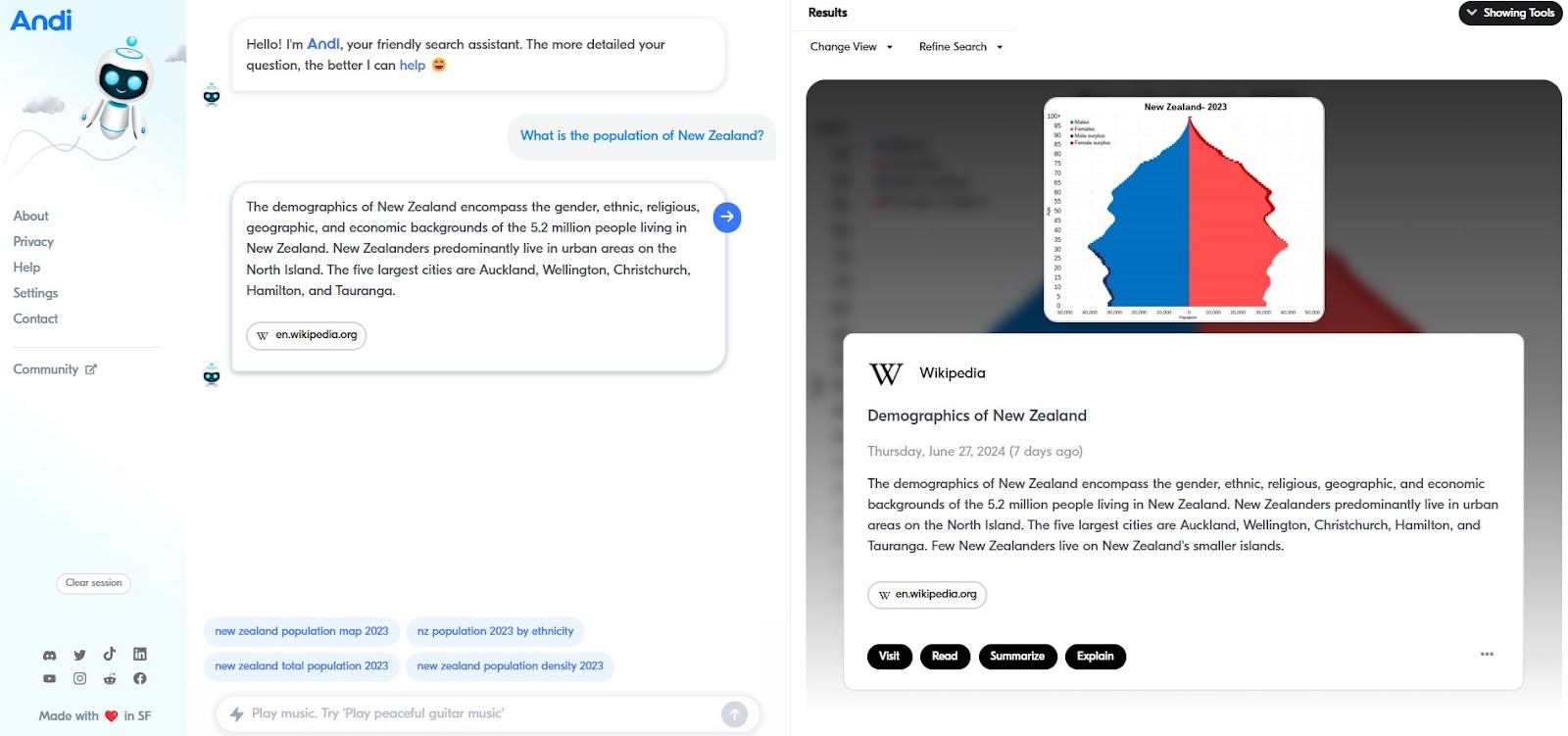
Andi Search is a mix of a chatbot and a search engine. What does this mean? You can chat with Andi as with a chatbot but it displays information like a search engine. Here's what we're talking about:
Source: Andi Search
In a nutshell, what Andi does is use generative AI combined with live data to give you answers to search queries, summarizing information from the best sources on the web.
Aside from being good at explaining topics, Andi also has customization features that allow you to change how you view links (as a feed, grid, or list). As well as refining your search by exploring related searches.
Top features
Andi uses generative AI and live data to enhance the efficiency and accuracy of its responses.
It has a visually appealing interface that makes interactions feel more natural and navigation easier to handle.
This tool also supports comprehensive keyword research, content optimization, and other SEO practices to empower businesses.
Andi Search Pros & Cons
Pros:
Suitable for a wide audience
High-quality sources of information
Cons:
Depends on JavaScript
Respects your privacy by not tracking your history
3. Google SGE
Pricing: Currently, you need to opt in to use it
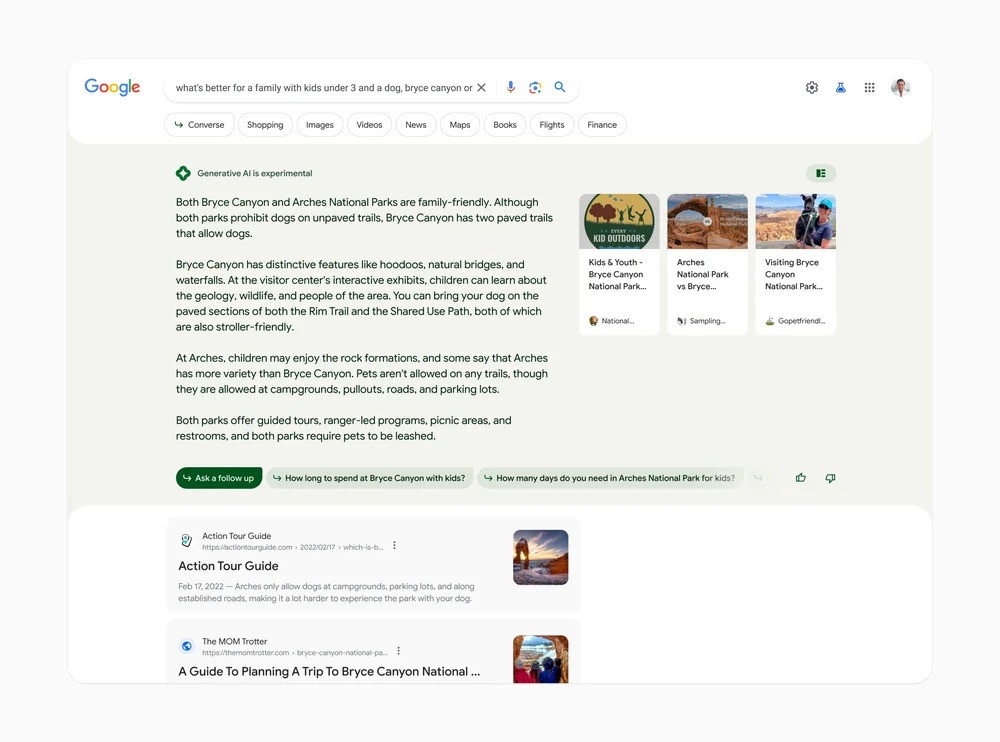
Google Search Generative Experience (SGE) is Google's take on improving search results. How do they manage that? By using generative AI to provide answers and quick overviews to user queries.
Source: Google
Instead of providing links like we're used to when using Google, SGE will generate answers, topic overviews, summaries, and how-to instructions at the top of the page. Google SGE compiles information from multiple sources across the Internet but, since it's still experimental, the information might not be accurate.
For now, Google SGE requires you to sign up and be accepted into the program to use it. It's unknown whether it's going to be free or paid.
Top features
Google SGE has a carousel feature, which links back to brands for better visibility.
The platform has images or videos that grab attention right from the get-go.
With AI Overviews, it's easier for people to ask follow-up questions.
Google SGE Pros & Cons
Pros:
Offers a more streamlined shopping experience
Provides contextually relevant answers
Users can ask follow-up questions
Cons:
It's slower than traditional Google searches
Adds extra information that makes it feel cluttered
4. Microsoft Copilot in Bing
Pricing: Free
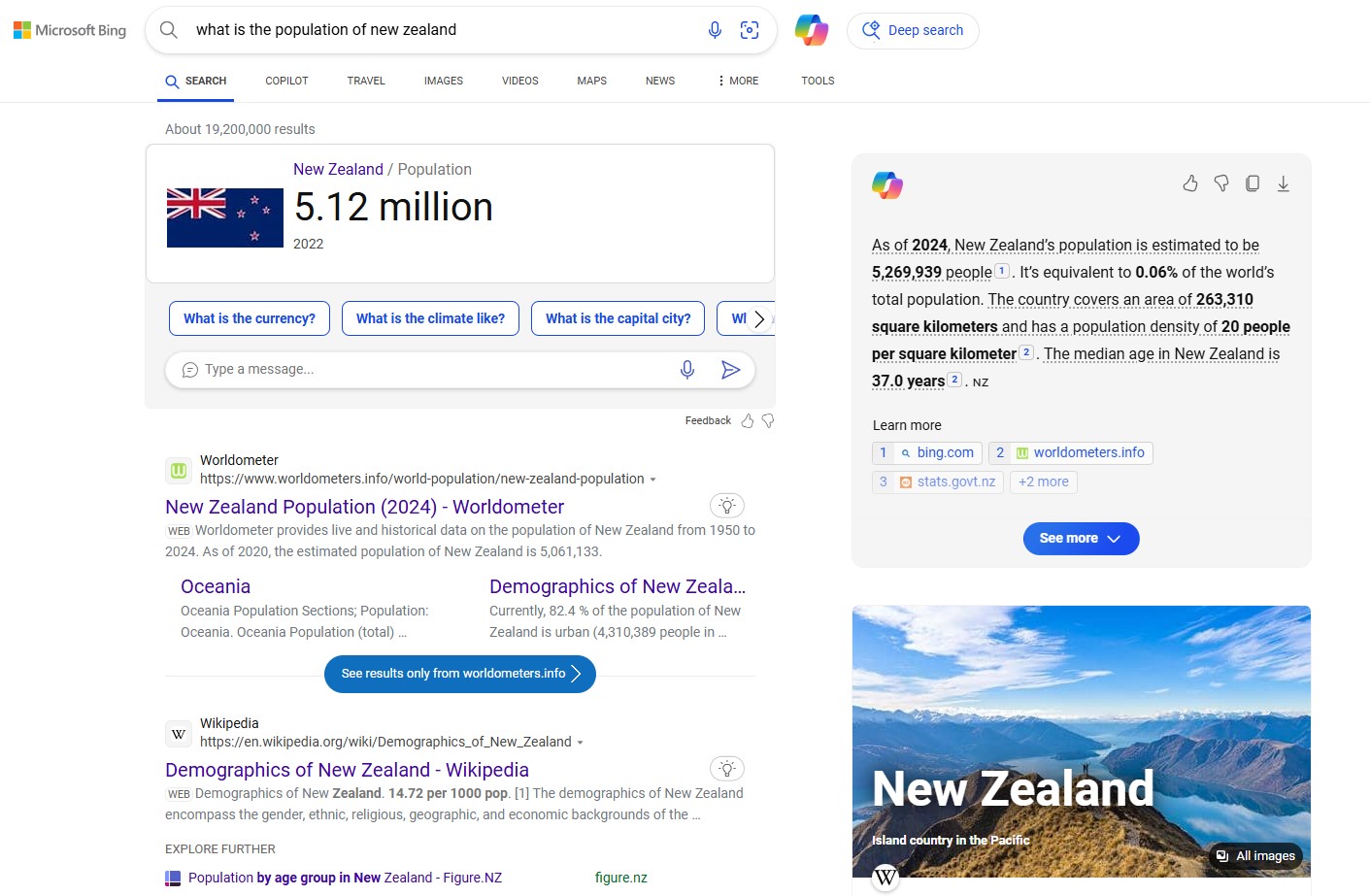
Microsoft had the great idea to implement its AI chatbot, Copilot, into its Bing search engine, creating a search platform that makes discovering answers easier.
Source: Bing
By using GPT-4, OpenAI's LLM, Copilot can provide relevant answers from trusted sources. You simply need to type in your question in the search box, and Copilot will scour the Internet, generating an answer on the spot. If the answer is good, you can rate it; moreover, you can copy the answer or export it for easy sharing.
Top features
With Copilot, you can also generate art and photos easily, through a single prompt.
Copilot has voice search, so you can write stories, create plans, and more on the go.
You can request personalized explanations to find relevant answers more easily.
Microsoft Copilot Pros & Cons
Pros:
Facilitates collaboration and communication
Enhances productivity
Integrates with Microsoft 365 apps
Cons:
Only works in Bing search engine
Might have glitches and errors
5. Perplexity AI
Pricing: Free, premium subscriptions
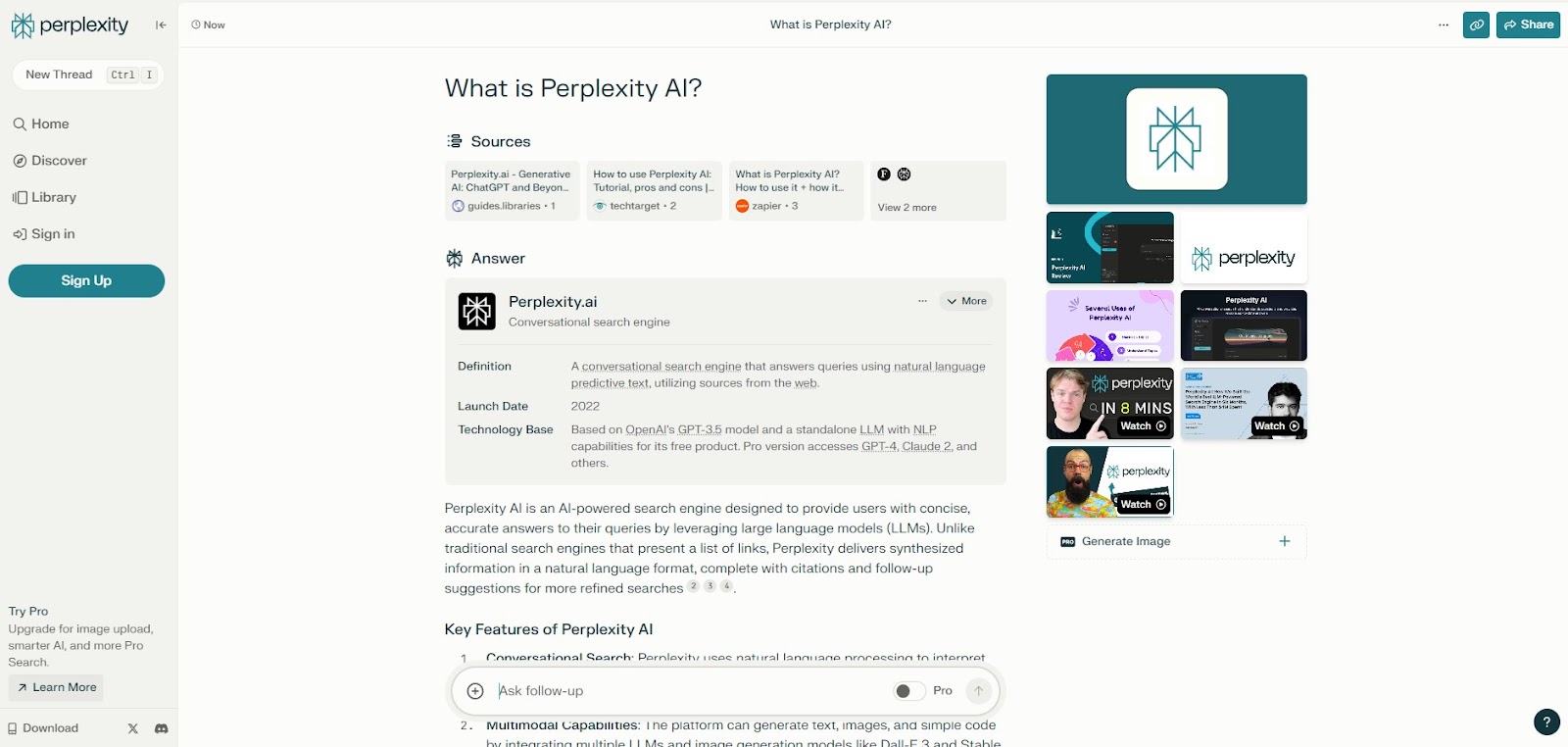
Perplexity AI is another tool that combines AI search engines with chatbots to provide a seamless search experience. Through its intuitive interface, you can search for everything, as Perplexity provides you with accurate answers and website links.
Source: Perplexity.ai
While the interface looks similar to a chatbot, you can click and interact with links, images, and videos as if you're in your favorite search engine. You'll also get suggestions for follow-up questions to find more ideas to explore.
Moreover, Perplexity offers concise AI-generated answers and the sources it generated the information from.
Top features
Perplexity AI uses natural language processing to understand the user intent and provide relevant information.
The tool can generate various types of content, from images to text.
Perplexity has a user-friendly design for more intuitive navigation.
Perplexity AI Pros & Cons
Pros:
Has multiple LLM options (Claude 3, GPT-4, etc.)
Organizes searches into threads
Has an intuitive user interface
Cons:
Might provide incorrect information
Generates repetitive responses
6. Waldo Search
Pricing: Limited free trial, paid subscriptions
Instead of trying to find Waldo, this tool aims to seek answers for you. It's an AI-powered research assistant that wants to find answers faster than Google or other traditional search engines. As well as providing high-quality answers for freelancers, enterprise users, and teams of all sizes.

Source: Waldo
Through a mix of NLP, AI, and ML, Waldo Search can analyze huge amounts of data and bring you the most relevant search results. Moreover, it's a tool that focuses on academic papers and news articles to source its information, so it can present it in a more organized fashion.
Top features
Waldo is a great tool for researchers, as it can compile information into useful documents.
This AI model cites and links back to sources, so you can fact-check the data easily.
Export data and share the findings with your peers.
Waldo Search Pros & Cons
Pros:
Has source integrations
Automates complex research tasks
Has multiple customization options
Cons:
Designed for professional research only
Might provide biased or inaccurate information
7. Phind
Pricing: Free, pro subscription plans
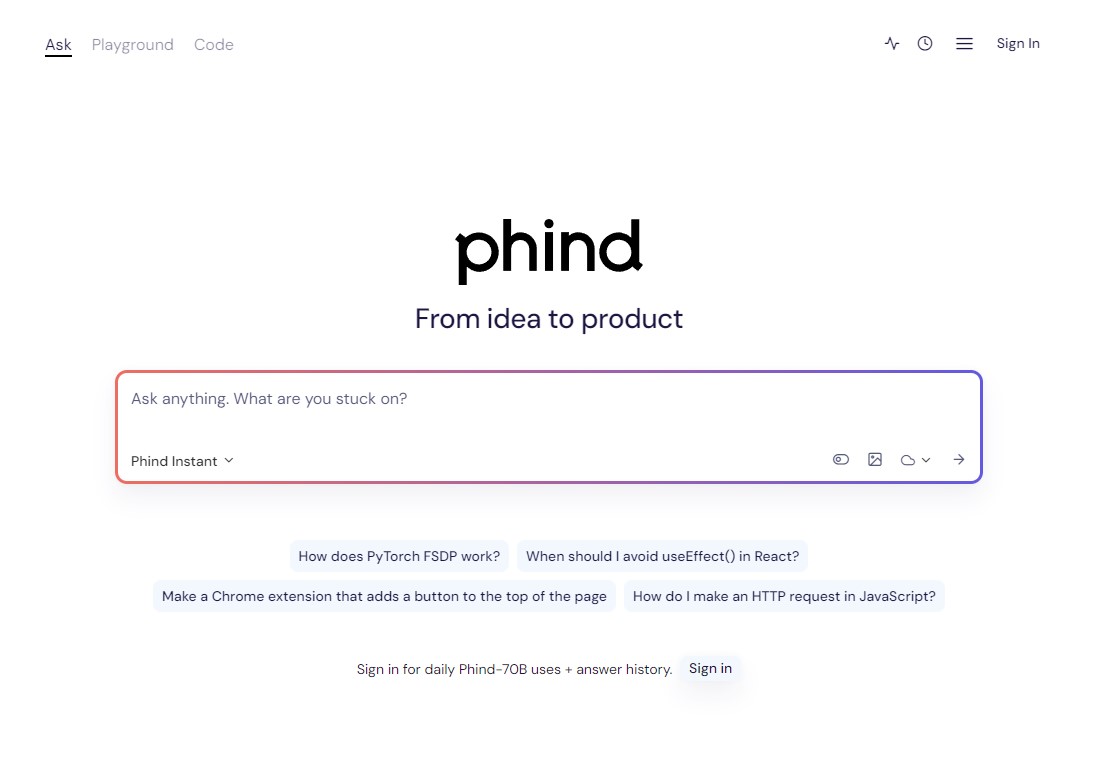
This tool is mostly for developers, assisting them in handling complex coding problems and phind answers to technical questions like "How does PyTorch FSDP work?"
Source: Phind
So, if you're ever stuck on something, Phind is your go-to intelligent answer engine that uses generative AI to streamline the idea-to-product process. It's a tool that provides scientific answers to every question, always making sure to provide the right information.
Moreover, it's really great at generating code fast — and even explains it for additional context.
Top features
Phind has tons of learning resources about programming to assist learning.
If you need to examine the original code, Phind cites sources of all the data it provides.
Instead of simply regurgitating info from other sources, it also summarizes it in an easy-to-read format.
Phind Pros & Cons
Pros:
Provides information sources for extra reliability
Integrates with plenty of development tools
Highly accessible to developers of all experience levels
Cons:
Only good for programming queries
Possibility of bias
8. Brave Search
Pricing: Free
Brave Search engine is a standalone browser with a built-in AI assistant, Leo AI, that can provide answers, generate content, etc., directly into the browser.

Source: Brave
This search engine focuses on keeping your data private and secure; that's why it has ad and tracker blockers that boost browsing speeds and device performance. As a result, you'll have a better search experience.
In addition, Brave has a generative AI integrated into the search engine; with each search query, you'll get AI-generated overviews at the top of the page. And it has links to relevant sources you can verify for credibility.
Top features
Offers fast AI-powered answers to all search queries (with an emphasis on accuracy).
Brave cares about your privacy, so you can search for anything without leaving a 'paper trail.'
Since Brave provides results from its built-in index, it has no secret algorithms, censorship, or bias.
Brave Search Pros & Cons
Pros:
Blocks ads and trackers
Built-in firewall and VPN
Independent search index
Cons:
Limited integrations
Site compatibility issues
9. Komo
Pricing: Free
Komo is an AI-powered search engine that uses advanced machine learning algorithms to provide accurate answers quickly.

Source: Komo
But while its main focus is on speed, it also cares about the privacy of your searches. Komo has no ads, but it does have personalized search results, learning from past searches and preferences to provide answers.
Besides, Komo generates answers based on information from different sites (with sources) but you can also explore the websites yourself.
Top features
With the Ask feature, you can brainstorm ideas and discuss new topics.
To express your ideas better, Komo lets you upload images instead of using text as prompts.
Komo also has voice recognition technology that makes it easier to word your prompts.
Komo Pros & Cons
Pros:
Offers suggested related questions
Has detailed answers
Provides simple summaries
Cons:
Not very well-known
Doesn't have a diverse pool of information
10. You.com
Pricing: Free, premium plans
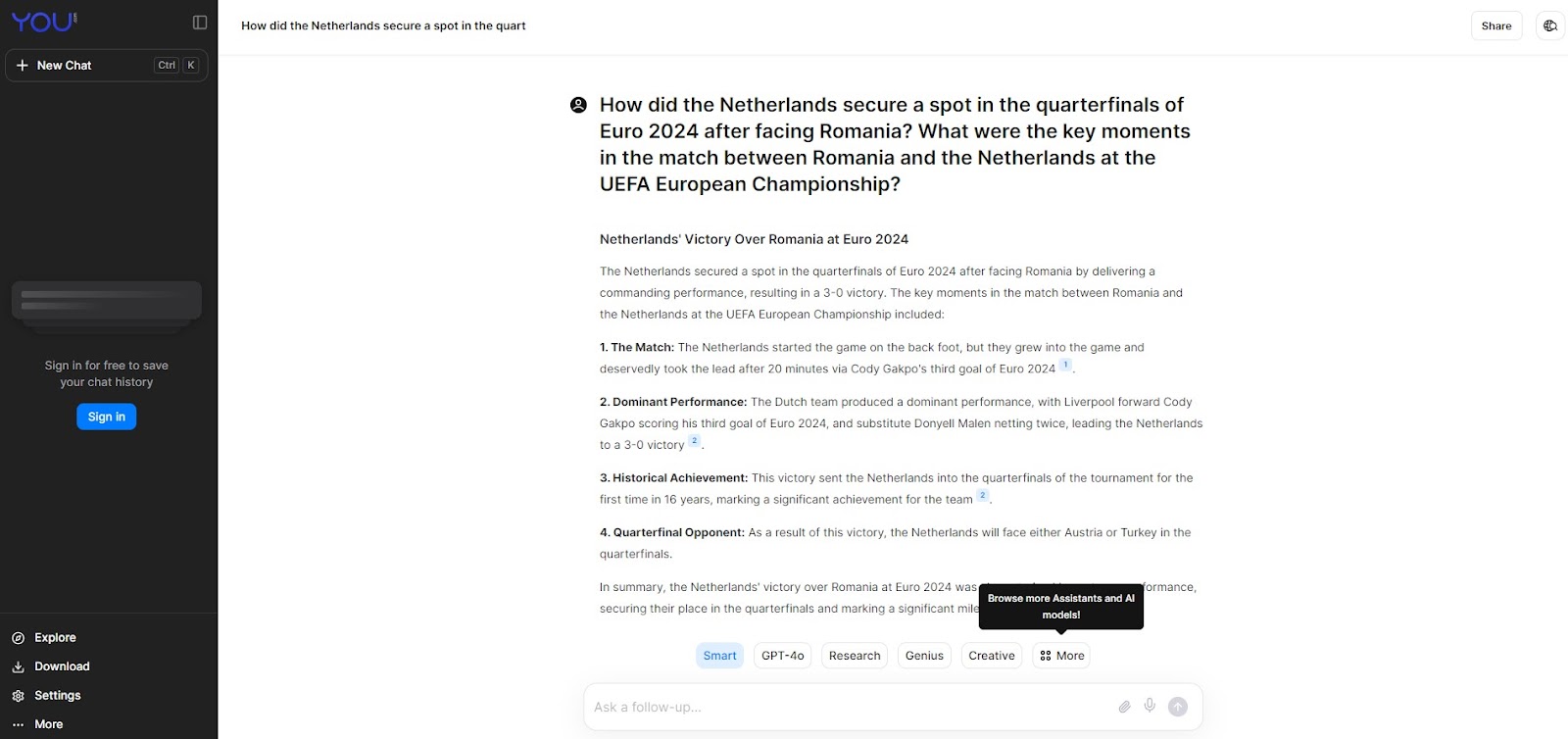
Created by scientists Richard Socher and Bryan McCann, You.com is a conversational AI platform that helps humans conduct detailed research, solve complex issues, and craft personalized content.
Source: You.com
It's a tool with a strong focus on giving you (hence the name) control over your searches. This means that, aside from giving you quick answers, it also makes sure your searches are private.
Similar to other search engines, You.com provides elaborate answers to queries, offers follow-up questions, and provides sources.
Top features
You.com has an AI writing tool (YouWrite) that helps you create content from scratch.
You can search for answers via various formats, such as images, voice, etc.
This tool allows you to select your region and get answers based on it.
You.com Pros & Cons
Pros:
Generates text and images
Suggests different keywords for advanced searching
Cons:
Limited features compared to other search engines
Still under development
What are the main benefits of AI-powered search engines?
According to a Forbes Advisor report, 64% of businesses believe that AI has the potential to improve customer relationships. Here are the main advantages of AI-powered search engines:
Key benefits:
Personalized results based on user behavior
Contextual understanding beyond keywords
Faster, more efficient search processing: One McKinsey study found that implementing generative AI for 5,000 customer service agents increased issue resolution by 14 percent an hour.
Access to multiple data sources simultaneously
What are the challenges of AI search engines?
Let's look at the downsides of AI search engines:
Training data quality, availability, and inconsistency: To train their algorithms, AI search engines heavily rely on data. If you feed AI inconsistent or poorly sourced data, it leads to biases and inaccuracies that harm the quality of the results. The human labor behind this data can also be an ethical minefield; for example, a TIME investigation found that Kenyan workers training ChatGPT's content filters earned less than $2 an hour while labeling hundreds of graphic passages per shift. Make sure to always keep your data updated.
Transparency: Not everyone trusts AI software, often because they don't understand how it works or how it collects data. According to a Pew Research Center survey, while about half of Americans have some trust in AI-generated summaries, only 6% say they trust it a lot. Providing clear explanations and maintaining transparency is key to promoting trust.
Data privacy and ethical concerns: If the AI app offers personalized suggestions, doesn't this mean it uses your sensitive information? The data collection raises privacy concerns, which can be solved through user consent.
Algorithmic bias: Unwillingly, AI search engines can slip biases into the info they present. A Brookings report highlights a real-world example where an algorithm for patient care consistently excluded Black patients because it was trained on hospitalization cost data, a biased variable. If you don't fact-check the content, it might lead to unpleasant situations that ruin your reputation. Make sure to remove harmful content to ensure fairness and diversity.
Alright, one more thing to do: choose the best AI search engine for you.
How to choose the best AI search engine for your needs
Here's a list of tips for choosing the best AI search engine for your business needs:
Identify your specific needs and requirements: Before choosing one, make sure the tool aligns with your goals and needs. If you need to write code more easily, then selecting a solution that focuses on this specific area is the way to go.
Ensure advanced NLP and ML algorithms: The AI search engine you want should leverage ML and NLP to ensure it understands user intent and can provide accurate results.
Customization capabilities: When it comes to customization, select a tool that allows you to tailor it to your unique needs and filter your searches.
Integrations: The more existing tools it integrates with, the better. This lets you build a streamlined ecosystem that makes working easier and improves productivity.
Data security and privacy: Since AI search engines play with sensitive data, it's important to be aware of all the security measures they implement to keep your sensitive information safe from harm.
Phew, we're done! Let's wrap it up.
Your AI Source of Truth for enterprise knowledge
While public AI search engines work for general queries, businesses need enterprise-grade solutions that understand internal context and respect data permissions.
Guru transforms scattered company information into a single AI Source of Truth. Our platform connects to your existing tools—Slack, Google Drive, Confluence—delivering permission-aware answers with clear citations directly in your workflow.
Every answer can be verified by subject matter experts, ensuring the information stays accurate and up-to-date. When an expert corrects an answer once, it updates everywhere, building a layer of truth that both your people and other AI tools can rely on.
See how Guru's AI search delivers trusted, policy-enforced answers across your enterprise. Watch a demo.
Key takeaways 🔑🥡🍕
Is there a free AI search engine?
How do I turn on AI search for my organization?
What's the difference between consumer and enterprise AI search engines?
Does Google have an AI search engine?
Yes, Google has integrated AI into its search engine, most notably through Google Bard, which enhances search capabilities with AI-driven insights.
What is the best AI search engine?
The best AI search engine can be subjective, but Google Bard and Microsoft's Bing Chat are frequently highlighted for their accuracy, speed, and advanced AI integration.
How do I open Google AI?
You can access Google's AI capabilities, like Google Bard, directly through the Google Search bar or by visiting the specific Bard website if available in your region.
Can I use Google AI for free?
Yes, Google offers free access to its AI tools like Google Bard, although some advanced features may require a subscription or payment.
What is Google's new AI search engine?
Google's new AI search engine, Bard, enhances traditional search with advanced AI to provide more conversational and contextual results.
Is ChatGPT an AI search engine?
No, ChatGPT is not an AI search engine. While you can use it to get answers to questions, similar to a search engine, it’s an AI chatbot that uses NLP to talk to humans and generate different types of content.
Are AI search engines free?
Yes, there are plenty of free AI search engines, like Andi, Microsoft Copilot, Phind, Komo, Perplexity, etc. However, some have premium subscriptions for additional features.
How can users optimize their queries for better results on AI search engines?
Here are some tips:
- Be as specific as possible with your keywords
- Use natural language and full questions
- Use filters and tools to be more specific
- Consider synonyms
- Use voice search for convenience


