
OpenAI GPT Store: Comprehensive Guide & Top 5 GPTs
With the GPT Store's recent launch, came a new world of possibilities. But you might be a tad confused as to what it is and what exactly you can find there. This guide will help you figure it out.
A few months ago, OpenAI announced its new GPT Store, a marketplace where you can browse popular and diverse GPTs created by the community. Now, everyone can access thousands of chatbots — or GPTs — and use them to streamline their workflows; in fact, the share of employed adults who say they use ChatGPT for work has risen to 28%.
But with the large language model (LLM) market estimated to reach $40.8 billion by 2029, there are probably too many chatbots out there.
Not a problem. In this guide, we'll talk about what the GPT Store is, its key features, how to access it, the top 5 GPTs, and more.
Let's dive in!
What is OpenAI's GPT Store?
OpenAI's GPT Store is a marketplace where users can discover, create, and publish custom AI assistants called GPTs without coding skills. It functions like an app store, allowing anyone to browse hundreds of specialized AI models for different business needs and use cases.
Everything happens through the ChatGPT interface, so if you're familiar with it, you'll have no problem using it as it's super easy to navigate.
But what makes this app special? Let's find out by looking at its key features.
How to access the ChatGPT Store
It's super easy to access the GPT Store. Here's a step-by-step guide:
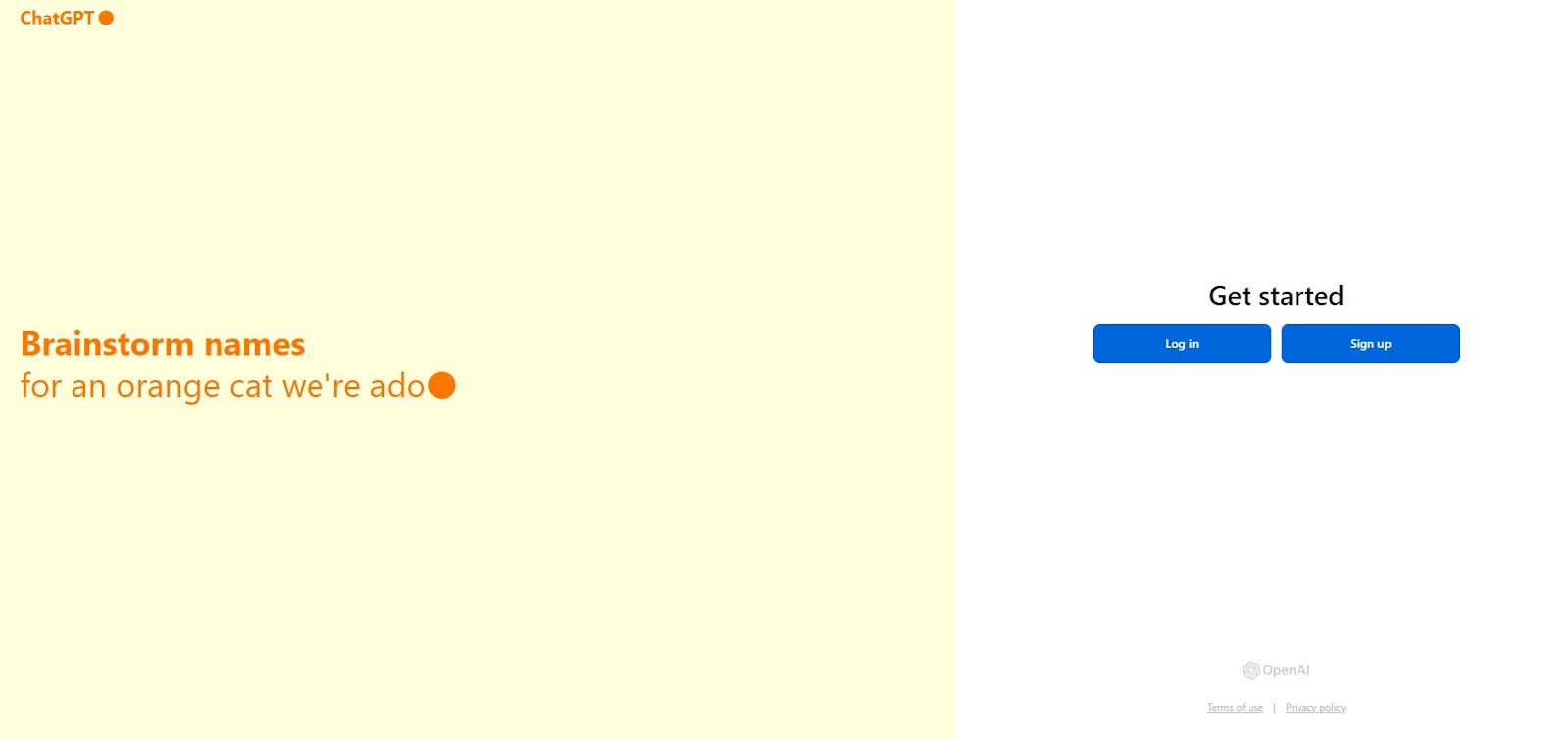
Create an account: Go to chat.openai.com. Click on the Login button if you already have an account. Or the Sign up one to create a new one. You have different options for signing up, such as with your email address or by accessing your Google or Microsoft accounts, or Apple.
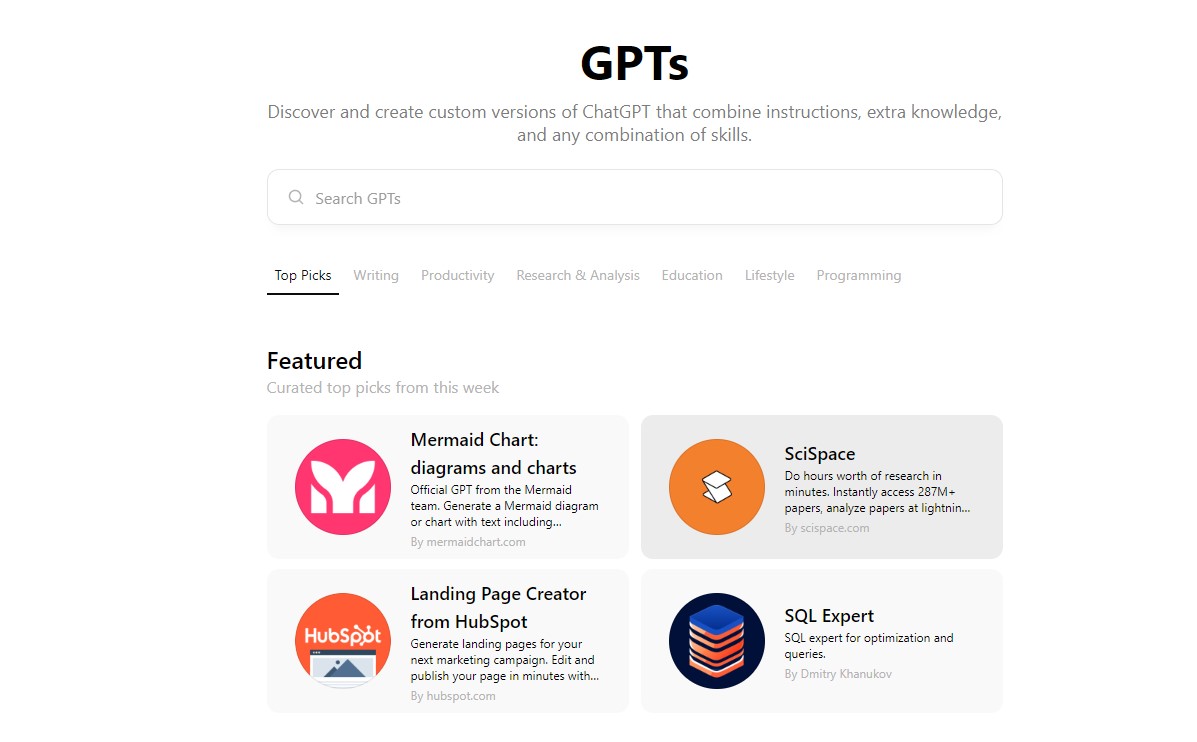
Access the shop: After you've logged in, you'll see ChatGPT's main dashboard. In the top left part of the menu, click the Explore GPTs button.

Explore the GPTs: Clicking on the Explore GPTs button will open the store. Here, you can search for a specific plugin in the search bar or browser through featured GPTs or the most popular GPTs created by the community.
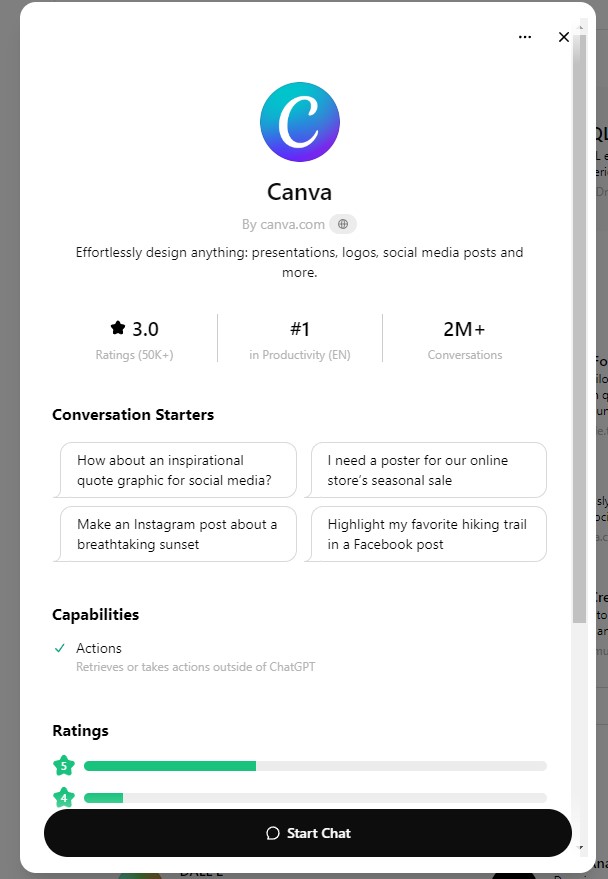
Use the GPTs: If you've set your eyes on a tool, simply click on it. This will cause a pop-up to open with details about the tool. To start using it, click on the Start Chat button below.
That's all!
Access requirements have changed:
Free access: No subscription required to browse and use many GPTs
Previously: Required ChatGPT Plus, Team, or Enterprise subscription
Now let's explore the most valuable GPTs available.
What are the key features of the GPT Store?
Let's see what the ChatGPT team has in store regarding the platform's key functionalities:
User-friendly interface: Designed with user experience in mind, this platform is easy to use. Browsing and comparing different AI apps is intuitive; plus, it has accessibility features that appeal to a broader audience.
Customizability: The GPTs in the store come with many customization options to fit your specific business needs. In a nutshell, you can tailor the AI models according to your requirements and use case, and can modify their behavior, colors, etc.
Collaboration: The main purpose of the GPT Store is to enable faster and better knowledge sharing between those interested in AI. Within this environment, people can improve each other's AI solutions and foster innovation.
Diverse range of useful GPTs: You can find all kinds of useful AI apps on the store, ranging from generative AIs (SEO-friendly text generation) to data analysis tools and text summarization.
Integration capabilities: One of the store's best features is that you can integrate all present AI apps with your existing systems and tools. With these plugins, your workspace is more streamlined and creates no disruptions.
Training resources: If you're ever stuck on something, the GPT Store offers documentation and tutorials to help you use the AI models to their full potential. And efficiently.
So, these are the GPT Store's main features. Are you intrigued yet? This is just the beginning.
Moving forward, let's explore some of the most valuable GPTs available.
What are the top 5 GPTs in the ChatGPT Store?
There are more than 3 million custom versions of ChatGPTs in the store, making it rather hard to find the gems that'll really make your business shine. But don't worry — we've ventured into the depths of the GPT Store and found five of the best GPTs it has to offer.
Take a look:
1. Guru GPT
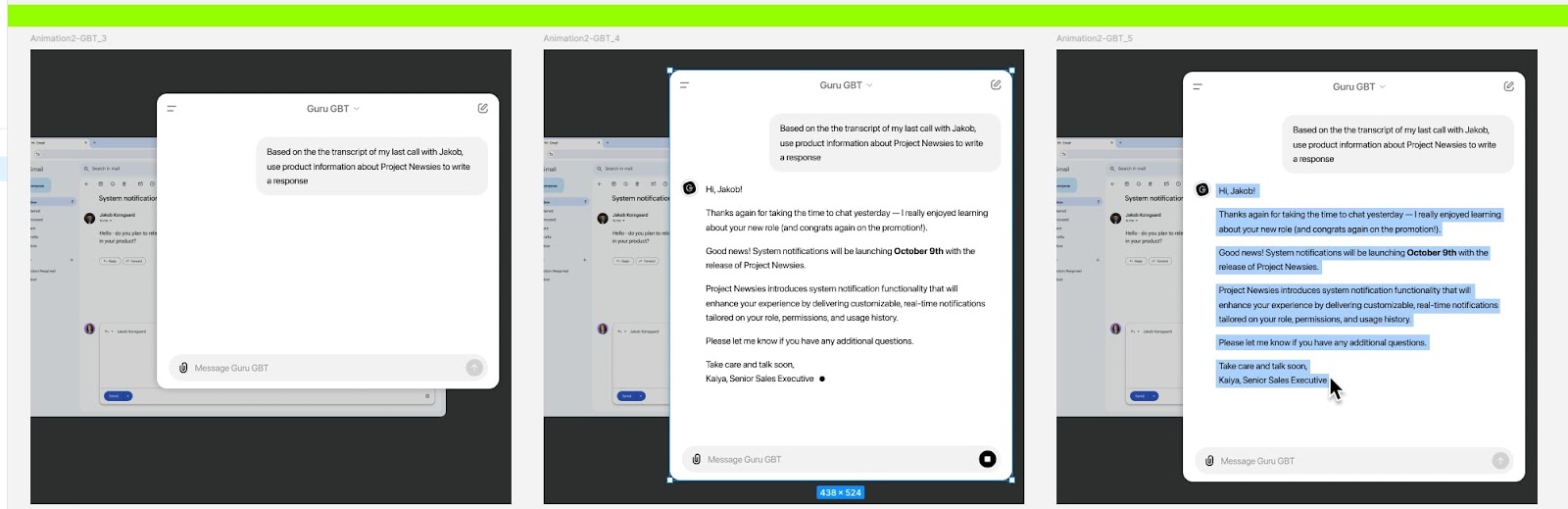
Best for: Knowledge management | Rating: 4.0 | Creator: GetGuru
Guru's ChatGPT integration searches across your internal content and information directly within ChatGPT. Create context-based content and draft Guru Cards from conversations without switching apps.
2. Canva
Best for: Designing presentations, logos, social media posts | Rating: 3.0 | Creator: Canva
Canva's free graphic design tool integrates with ChatGPT for quick creation of branded content. Generate high-quality art with simple conversation starters, no matter the complexity.
3. Code Copilot
Best for: Writing code | Rating: 4.2 | Creator: Prompt Spell Smith
Code Copilot streamlines coding by writing smarter code and building apps faster. The app interprets, analyzes, and identifies issues in your code automatically.
4. Image Generator Pro
Best for: Generating AI art and images | Rating: 3.8 | Creator: Pulsr
A great alternative to DALL-E, Image Generator Pro creates high-quality images from your prompts. Perfect for quick social media posts or blog visuals.
5. Logo Generator
Best for: Generating unique logos | Rating: 3.3 | Creator: Mehmetali
Create custom logos for your brand with simple prompts. Choose any style and color combination you want.
***
Give these tools a try! Or find other GPTs to tinker with. The world's your oyster!
But the real power of the GPT Store comes from creating your own custom GPTs. Let's explore how.
How to create and publish GPTs
Creating your own custom GPT is straightforward and doesn't require any coding knowledge. OpenAI provides a tool called the GPT Builder, which guides you through the process using a simple conversational interface.
Here's a high-level overview of the steps:
Start with the GPT Builder: In ChatGPT, you can start a new chat with the GPT Builder. It will ask you what you want to create.
Provide Instructions: You can give the builder instructions in plain language, such as what the GPT should do, what its personality should be, and what it should avoid. You can also upload files to give it a specific knowledge base.
Test and Refine: The builder provides a preview playground where you can interact with your GPT and see how it behaves. You can then give the builder more feedback to refine its performance.
Publish Your GPT: Once you are satisfied, you can save and publish your GPT. You have three options: keep it private for your own use, share it with a direct link, or publish it publicly to the GPT Store for everyone to discover.
GPT Store monetization program
OpenAI's revenue-sharing program lets builders earn money based on GPT usage. Here's how it works:
Eligibility: Build a popular GPT and verify your builder profile
Requirements: Publish your GPT publicly to the store
Rollout: Currently available to U.S. builders first
Earnings: Receive revenue share based on usage volume
Enterprise and team management features
For businesses, the GPT Store offers more than just public-facing tools, and their professional impact is expected to be significant. According to one study, 67% of legal, tax, and accounting professionals believe generative AI will have a transformational or high-impact change on their work in the next five years. With ChatGPT Team and Enterprise plans, organizations gain critical features for managing AI use internally. This is essential for maintaining security, compliance, and a trusted layer of truth.
Key enterprise features include:
Private GPTs: Companies can create and securely publish GPTs for internal use only. These custom agents can be trained on company data and will not be shared outside the organization.
Admin Console: IT leaders can use an admin console to manage workspace access and control how GPTs are shared. This allows for policy-enforced deployment of AI tools across teams.
Verified Ownership: Businesses can verify their domain to ensure that any GPTs published under their brand are official, preventing confusion and maintaining brand integrity.
These features allow organizations to leverage the power of custom AI while retaining the auditability and permission-aware controls that CIOs and CTOs require.
What are the benefits of using the GPT Store?
"There must be some benefits to using the GPT Store, no?" you might think. And you're right; here they are:
Accelerated development: The ChatGPT Store gives you access to cutting-edge AI assistants, chatbots, and other advanced technology, so you'll be able to use pre-trained AI models to build powerful apps from scratch without wasting time.
Scalability: Every AI app in this store scales as your business grows, so you don't have to worry about it not being able to keep up with the growing demands. No matter the volume of data, the apps can handle multiple tasks without hindering the user experience.
Cost savings: Since you build on an existing app, you save the money you'd otherwise spend on creating an AI app from scratch. Plus, you don't need to hire experts to build the AI model as you can do it yourself.
Data-driven insights: In general, an AI tool can analyze large amounts of data to provide valuable and actionable insights that help you make better decisions. For example, one study found the legal profession has a high AI exposure, with an estimated 44% of tasks susceptible to automation.
Enhanced creativity: There are plenty of AI software tools that can boost the creative process, such as AI writers or text-to-image generators that make it easier to craft creative content.
With these advantages, you'll surely make your processes more efficient and effective. But who exactly can use the GPT Store?
Who can use the GPT Store?
In general, anyone can use the GPT Store, and its popularity is growing—a recent survey found that 34% of U.S. adults have used ChatGPT. But let's see who the top users are:
Independent creators: Authors and artists can generate personalized content quickly, saving time and resources on project development.
SMBs and startups: Access pre-trained AI models without hiring additional staff or technical expertise.
Large enterprises: Scale content production rapidly without expanding in-house teams.
So, the ChatGPT Store fits all kinds of clients. In fact, according to data, the highest percentage of ChatGPT users (15.2%) belongs to the USA, followed by India's 6.3%.
But it can become popular in even more countries — as long as people know what they can use GPT for.
What can you use the GPT Store for?
Let's go through the most common use cases for the GPT Store:
Virtual assistants: Think of this tool as your virtual PA, as it can send out reminders, schedule meetings, and perform tasks easily.
Customer support chatbots: One of the most popular applications found in the ChatGPT Store is the intelligent chatbots. These can help you improve customer service by handling issues more efficiently.
Content generation: You'll find plenty of AI text generators in the GPT shop that make writing blog articles, product descriptions, and social media posts easier.
Language translation: If you have a remote team with members from across the world, it's probably easier for them to learn in their native language. Various programs in the GPT Store translate text into different languages to boost communication.
Educational materials, translations, custom chatbots, virtual assistants — there are so many things you can find in the GPT Store, and its educational use is particularly popular. Research shows that 26% of U.S. adults have used it for learning, a significant increase from previous years.
The possibilities are endless when you have access to the right AI tools.
Your AI Source of Truth beyond the GPT Store
While the GPT Store offers many useful apps, Guru provides the comprehensive knowledge management solution your enterprise needs.
Key advantages of Guru:
Trusted answers: Policy-enforced, permission-aware responses with full citations
Work where you are: Available in Slack, Teams, and browser
Expert verification: Corrections propagate everywhere with complete lineage
Enterprise-ready: Built for security, compliance, and governance
Ready to create your company's trusted layer of truth? Watch a demo to see how Guru transforms knowledge management without the management.
Key takeaways 🔑🥡🍕
Can you make money on the GPT Store?
Is the GPT Store free to use?
Do I need a ChatGPT Plus subscription to access GPTs?
What is the ChatGPT store?
The ChatGPT Store, also known as the GPT Store, is a marketplace where users can browse, use, and customize various AI-powered tools and chatbots created by the community.
Which is the best ChatGPT app?
The best ChatGPT app depends on your needs, but Guru GPT is highly recommended for knowledge management, offering robust AI-powered search and integration features.
Which ChatGPT app is best to download?
The best ChatGPT app to download is one that suits your specific requirements; Guru GPT is a top choice for businesses seeking comprehensive knowledge management solutions.
What is the best GPT for GPT-4?
The best GPT for GPT-4 depends on your use case, but popular choices include advanced coding assistants like Code Copilot and versatile design tools like Canva.
Is GPTstore AI legit?
Yes, the GPT Store is a legitimate platform provided by OpenAI, offering a wide range of trustworthy and effective AI tools and chatbots.


