
12 Best Business Communication Software for Your Teams [2026]
Internal communication tools have become a staple in every business, as they drive better productivity and communication among employees, which is crucial in an era where increased remote work is associated with a notable increase in TFP growth. But how do you know which tool is the right one for your specific needs?

Each day we stray further away from the time when you had to walk down to a coworker's office to ask them something. Nowadays, you simply jump on a call with them or send them a message to their DMs, no matter where they are.
But how do you know which is the best business communication software for your current needs? Especially now that the market for communication software is shifting to cloud-based software and is expected to reach $3.1 billion by 2030.
Translation: more and more communication software will appear on the market, making your choice harder.
Fret not; this is what this guide is for.
Here, you'll discover what business communication software is, its benefits, the different types available, the top 12 options, and how to choose the right tool.
What is business communication software?
Business communication software is a digital platform that enables team collaboration through messaging, video calls, file sharing, and project coordination. These tools help employees communicate efficiently whether they're working remotely, in-office, or in hybrid environments.
This allows employees to brainstorm ideas and exchange feedback easily, saving them time by letting them reach out instantly to colleagues. In addition, plenty of internal communication tools have project management and file-sharing functionalities that make it easier for people to collaborate.
These solutions are ideal for remote or hybrid teams and especially useful for asynchronous communication.
When searching for the best option for your business, which features should you keep an eye on?
Well, let's find out!
What are the benefits of using communication software for business?
Communication is vital for any business that wants to improve the overall efficiency of its teams and save time usually wasted on reaching out to someone with a simple question.
Plus, many workers nowadays spend their days in front of a screen. Sixteen percent of people spend 21 to 25 hours per week on communication apps; around five hours per day on average.
But what exactly are the advantages of communication software?
Builds trust: Consistent communication keeps everyone aligned on project status and builds stronger team relationships.
Increases productivity: Happy, connected employees work harder and feel less isolated, which is vital when the cost of disengagement in the U.S. is approximately $2 trillion in lost productivity.
Improves retention rates: Engaged teams who communicate regularly are more likely to stay with the company, as research shows a 10% improvement in an employee's connection to their organization's purpose leads to an 8.1% decrease in employee turnover.
Reduces misunderstandings: Clear communication prevents costly mistakes and eliminates work silos, which is critical when 26% of deadlines are missed because of fragmented workflows.
Nurtures honest communication: Regular interaction makes team members comfortable sharing feedback and concerns, a significant benefit when data shows only 28% of employees strongly agree their opinions count at work.
Alright, the benefits sound very nice. But how do you choose the right tool that can enable all these advantages?
Types of business communication software
Business communication software isn't a one-size-fits-all category. Different tools are designed to solve different problems. Understanding these types can help you narrow down your search to what your team truly needs.
Instant messaging & chat: These are the digital hallways of the modern workplace, perfect for quick questions, asynchronous updates, and team-wide announcements. Think of tools like Slack and Microsoft Teams.
Video conferencing: For face-to-face collaboration when you can't be in the same room. These platforms are essential for remote and hybrid teams, supporting everything from daily stand-ups to formal presentations.
Project & work management: These tools provide structure for collaboration. They help teams organize tasks, track progress, and manage deadlines, ensuring everyone is aligned on shared goals.
Knowledge management & AI search: This category acts as your company's single source of truth, and research shows that adopting digital tools to make information more accessible doubles the likelihood of a successful transformation. In 2026, this also increasingly means governance—permission-aware answers, citations, and an auditable trail so teams can trust what they share, aligned with a Zero Trust security model. Tools like Guru connect to all your other apps, providing a centralized, trusted layer of information your team can access instantly, right where they work.
What features to look for in company communication software
Essential features to look for in communication software:
Screen-sharing: This is a great feature for explaining your points and showing what you've been working on to your clients. Instead of them trying to make sense of what you're saying, you can show them the data with a single push of a button, enabling real-time collaboration.
Messaging: There are plenty of people who love messaging instead of phone calls, as it's easier to send a message than try to reach someone who's busy. A good communication tool has direct messaging, private and group chat, open forums, and threads where you can discuss anything. Most software programs even let you upload and share files.
Video calling: Video chat is highly useful for remote teams that don't meet face-to-face, but also for meeting clients from different parts of the world. Make sure to choose a tool with high-quality video calls, as you don't want to end up with a grainy and low-quality feed.
Notifications and alerts: Another important feature is the tool's ability to notify you whenever someone makes a change or whenever you get a message, of course. In addition, the tool should let you update your preferences (e.g., how often you want to receive notifications), so you minimize the chatter and only focus on what matters to you.
Don't forget about integrations — they're vital for streamlining your workflows and making it easier to search for information and share files across your company.
Since integrated apps expand your attack surface, IT teams should also follow CISA guidance on securing workplace accounts and apps to reinforce basics like MFA, secure updates, and safer authentication.
With that being said, let's look at some of the best business communication software around.
What are some of the best business communication software tools?
Here are the 12 best business communication software tools for 2026:
Guru — Best AI Source of Truth for companywide communication and knowledge
Microsoft Teams — Best video conferencing tool for Office365.
Slack — Best team chat and messaging software for asynchronous communication.
Trello — Best project management tool with multiple viewing options.
Dropbox — Best cloud storage solution for sharing and keeping files and photos safe.
Zoom — Best video conferencing tool for all team communication needs.
Monday.com — Best collaboration platform for building workflows.
Microsoft SharePoint — Best web-based collaborative platform that integrates with Microsoft 365.
Loom — Best free screen recorder and screen capture for easy sharing.
Miro — Best visual workspace for managing projects, brainstorming, and designing products.
Notion — Best connected workspace for your docs, wikis, and projects.
Asana — Best work management platform for taking care of projects and tasks online.
Don't worry, we won't leave you craving for more.
In the following paragraphs, we'll go through each tool and describe it, from what it does to key features and use cases.
1. Guru
Guru is the AI Source of Truth that connects all your company’s scattered knowledge—docs, chats, wikis, tickets, and drives—and delivers cited, permission-aware answers everywhere your team works.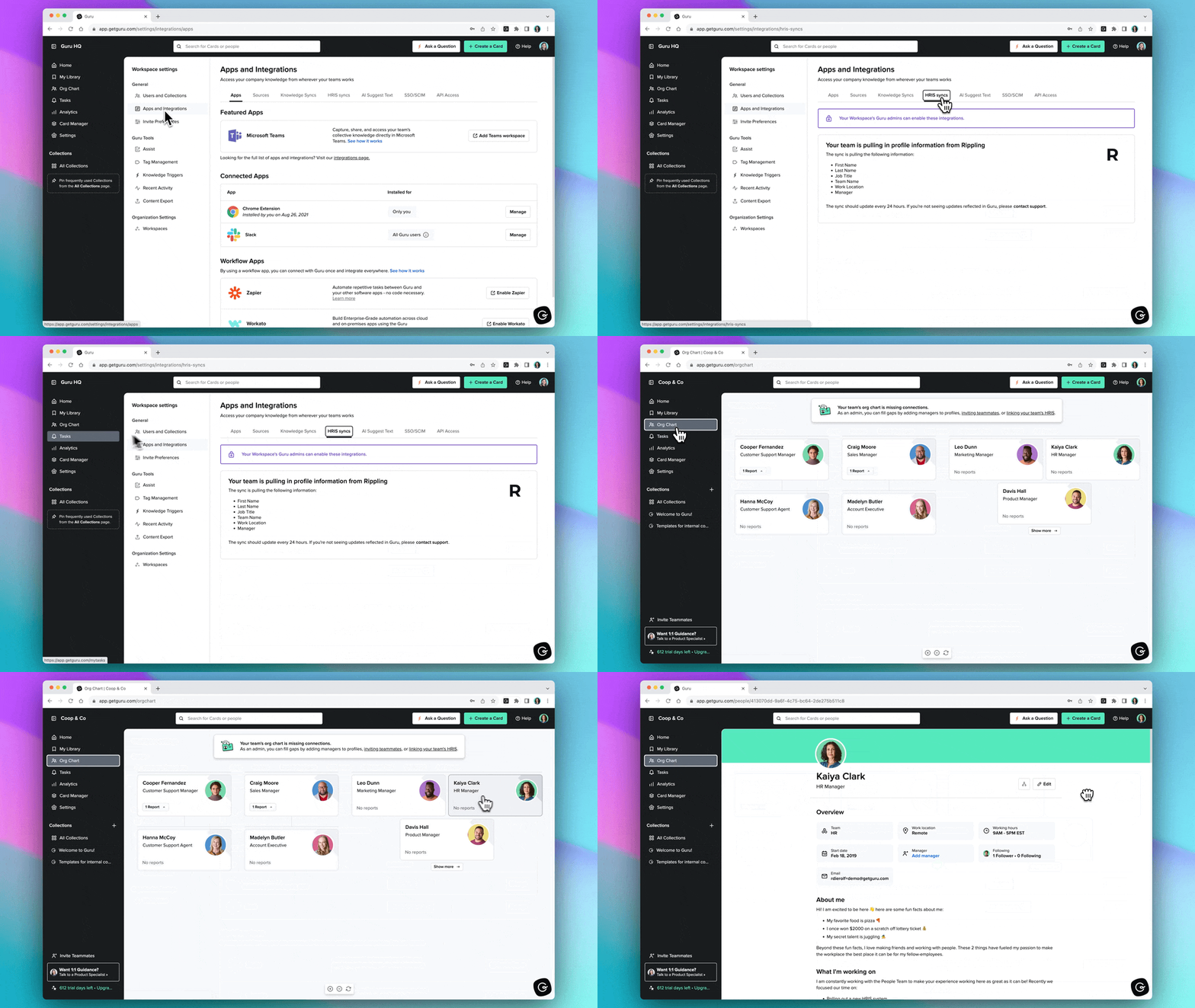
Instead of relying on a traditional knowledge base or intranet, Guru unifies information from every system through Connected Sources, Unified Knowledge Index, and role-based permissions, giving teams one governed intelligence layer they can trust.
Employees get answers instantly where work happens—Slack, Teams, the browser, or even in external AI tools like ChatGPT, Claude, or Copilot via Guru’s MCP Server. No switching tabs, no digging, no waiting on experts.
What sets Guru apart is that knowledge stays accurate over time. Through Knowledge Agents, Answer Details & Explainability, and the AI Agent Center, Guru continuously improves its answers based on real usage, SME verification, and transparent audit trails. Fix something once, and every answer, workflow, and AI using Guru gets better automatically. What you get from partnering with Guru is an AI-powered centralized base for your team, enabling smarter collaboration and sharing.
"The most helpful [thing] about Guru is that all approved resource materials are housed in 1 place, one library for work resources. The upside to Guru is that I can favorite and follow the relevant collections of my department and stay up-to-date on any additions or changes…"
Did we make you curious about Guru? Find out more by checking out this on-demand demo video.
Top features
Customizable dashboard & Announcements
Give employees a personalized hub for updates, resources, and targeted announcements—all powered by Guru’s unified knowledge layer.Knowledge Agents (AI chat, search & research)
Get verified, citation-backed answers pulled from every connected source, with explainability, permissions, and governance built in.HRIS Sync & Org Profiles
Sync employee data automatically to ensure personalized answers, accurate permissions, and clear visibility into experts across the organization.
Use cases
Guru helps teams across every industry—including healthcare, marketing, financial services, IT services, retail, and more—get trusted, explainable answers across every workflow and every AI tool they use. Whether someone is onboarding, supporting customers, making decisions, or looking for policy details, Guru provides one governed source of truth that keeps everyone aligned.
2. Microsoft Teams
Microsoft Teams, a well-known video conferencing, chat-based workspace, is perfect for helping people collaborate in real time on different projects.
It has the necessary tools for bringing people together, such as file sharing, business messaging, and even emojis.
.webp)
Source: Microsoft
There's much you can do with Microsoft Teams. You have online meetings, a feature that helps your team members work from anywhere, communicate face-to-face, and enable a flexible, hybrid workplace.
With features like PowerPoint Live, Microsoft Whiteboard, and AI-generated meeting notes, it's easier to achieve more together,
If you're not a big fan of video calls, you can always just jump on a regular phone call. MS Teams has features like group calling, voicemail, and call transfers that make communicating across devices easier.
"Group creation, internal team discussion, private conversations, sharing of content, and keeping track of it is an absolute treat. MS Teams is also [a] treat to use, it is extremely easy and user-friendly."
Top features
Instant messaging: With MS Teams, you can message a team member directly or hop on a call with them on a whim, making it an ideal solution for remote teams.
Merge calls: Let's say you've started a call with a team member, but you need clarification on something from another colleague. With MS Teams, it's easy to bring someone over with the merge function.
Virtual events: Do you want to host secure web conferences and webinars? MS Teams can make it happen easily, as it can host up to 1,000 attendees.
Use cases
MS Teams is suitable for remote businesses in plenty of industries, such as education, healthcare, retail, and manufacturing.
The best part of this tool is that it integrates with Guru, allowing employees to find anything they're looking for easily. See how the two work together here.
3. Slack
Everyone's heard of Slack before; if you haven't, you're slacking.
It's a popular team chat and messaging platform that connects you with the tools and members you work with every day.

Source: G2
Slack mostly works through channels. You can create separate channels for every topic, project, or team, whether that's for welcoming new employees or for sharing memes.
This way, you keep your work organized, streamline your workflows, and enable effective communication, making it easier to keep track of progress and stay on top of updates.
Plus, Slack has 'huddles' (its term for video meetings) which allow you to instantly connect over audio or video with peers for live collaboration.
"Being able to quickly reach out to team members, organize discussions, and share fun moments like GIFs and memes can definitely enhance teamwork and make the work environment more enjoyable."
Top features
Workflow builders: With Slack, it's easy to transform daily, mundane tasks into automated workflows without needing technical skills.
File sharing: Slack has collaborative file and document sharing that allows you to add context to the conversations from anywhere.
Knowledge sharing: Every team member can easily access the shared knowledge, making your business work smarter and faster.
Use cases
Slack is for teams of all sizes and every department, like engineering, IT, sales, and marketing.
Make your knowledge more accessible to your teammates, no matter where you're working, with Guru + Slack.
4. Trello
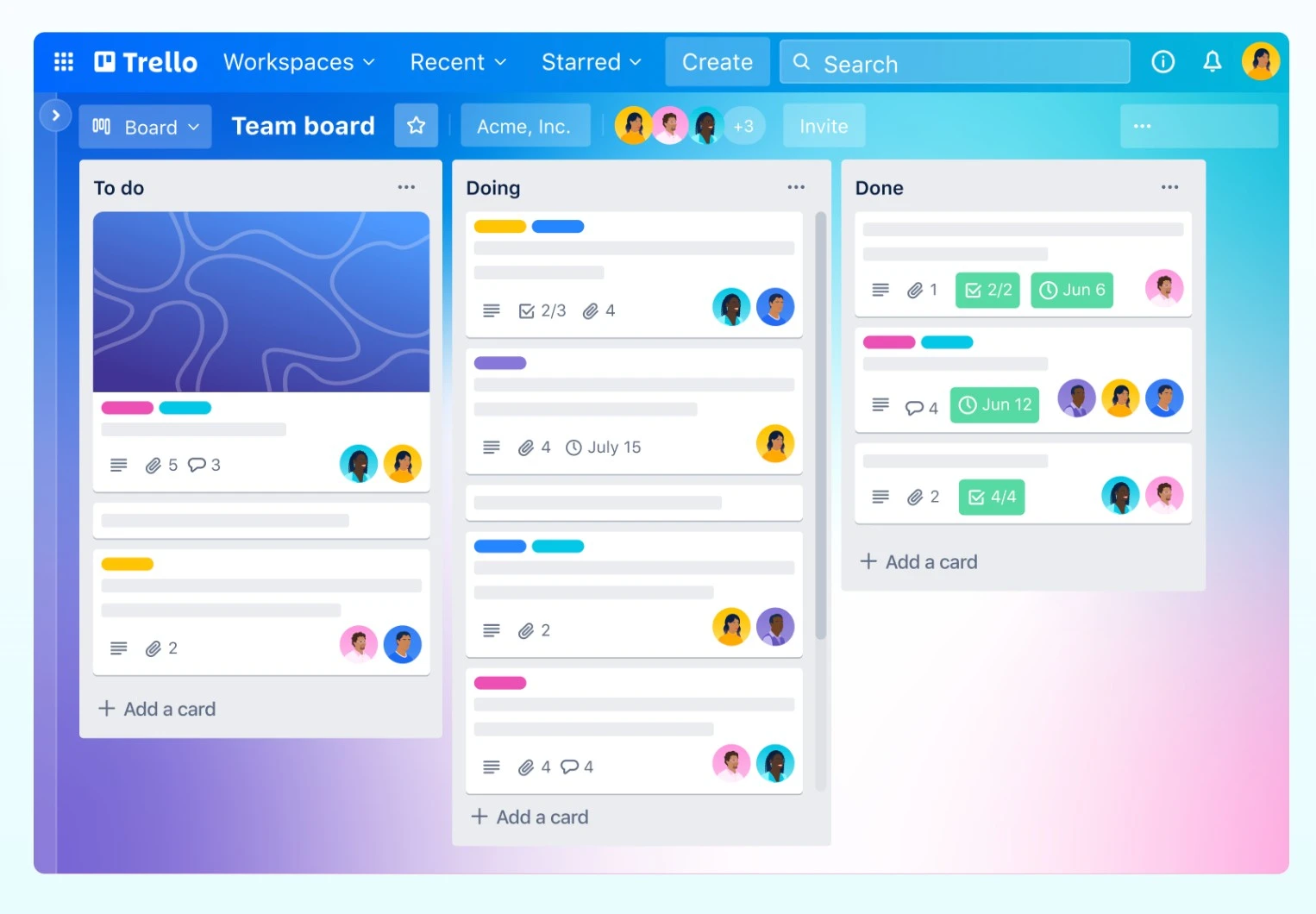
Trello — a project management tool — makes it easier for teams of all sizes to create, view, and manage projects and keep everything in one place.
Source: G2
Trello's main focus is on improving your productivity. As such, it's an intuitive, simple, and flexible collaboration tool with boards, lists, and cards that allow you to get a clear picture of who's doing what.
By getting clearer visibility into what happens with a project during different stages, you'll organize your work better. You'll never miss a deadline again and you'll keep your team members on the same page.
Moreover, Trello has meetings, which empowers your team members to be more productive and efficient.
"Trello is ideal for job management and tracking project progress. [...] Very simple to use and integrate with other third-party applications."
Top features
Templates: For more streamlined project management, you can use one of Trello's tried-and-tested templates that you can customize in no time.
Views: Trello offers multiple viewing options for your projects, varying from boards, timelines, calendars, dashboards, maps, and workspaces.
Automation: Trello employs no-code automation that helps you craft rules, buttons, and commands for every action.
Use cases
Trello has plenty of use cases, from onboarding new employees to acting as a resource hub to brainstorming.
If you want to streamline your knowledge management (without constantly switching apps) and keep track of your project's progress, you know what to do.
Integrate Guru with Trello for a whole new experience in efficiency.
5. Dropbox
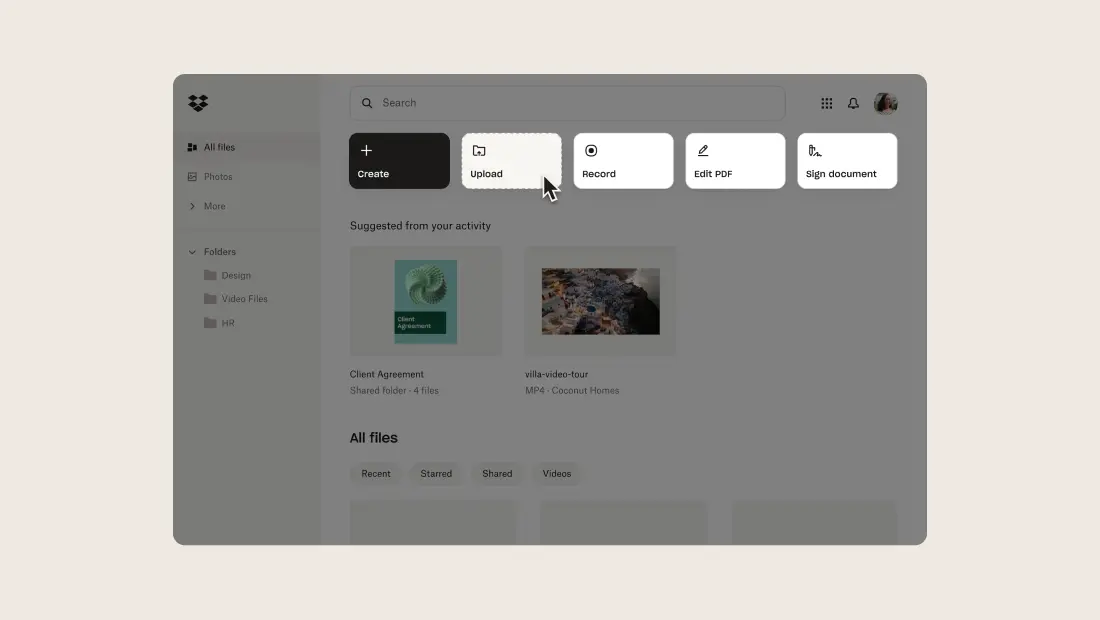
Dropbox is a secure cloud storage for personal use and organizations of all sizes. Here, anyone can store their files and keep them in one place, making work more efficient and allowing teams to stay in sync on projects.
Source: G2
Dropbox makes it easy to organize your files and photos. You and whoever you give permission to can access the storage wherever and whenever you need, whether that's on mobile, web, or desktop.
As long as you have an Internet connection, you're good to go.
How do you share files on Dropbox, you might ask? Well, it's actually rather simple. With just a link, you can share files and photos, no matter how big or small the document is. You can even edit PDFs or use video tools to create an efficient feedback and approval process.
"Dropbox is user-friendly because of its interface and straightforward functionality. Uploading, downloading, and managing files can be a piece of cake for anyone using it."
Top features
Dropbox Dash: While it's still in beta, this functionality helps you organize, find, and share files in one place. And use an AI search tool to look for key info easily.
Mobile app: This collaboration platform is ideal for those constantly on the move, as it allows you to access Dropbox from anywhere. It's available for both iOS and Android.
Dropbox Replay: Dropbox lets you review and approve videos or other creative projects faster, allowing your team to collaborate on different projects in one tool.
Use cases
Dropbox is suitable for sales, marketing, HR, and IT departments in plenty of industries like construction, technology, education, etc.
Want to improve your productivity workflows and find the answers you need faster? Then, integrate Dropbox with Guru and experience a new world of innovation.
6. Zoom
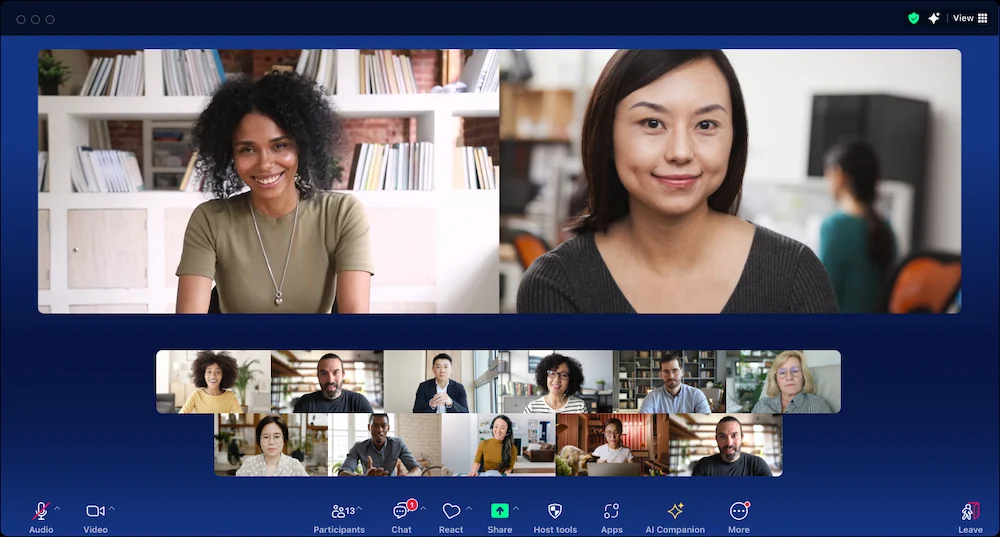
Zoom is a popular video conferencing tool for every team's communication needs. In one platform, you have collaboration features like meetings, team chat, mail and calendar, and a scheduler — all to help you increase employee engagement and productivity.
Source: G2
Zoom is widely used for its video conferencing tools, a good way to boost employee communication and improve meeting outcomes. With this tool, you can collaborate with peers across different devices and locations, as well as share your screen and write on whiteboards.
But that's not all Zoom offers.
This solution also has integrated instant messaging, which lets you connect your teams and make work more efficient.
"Zoom is still new for a lot of people, but it has adapted the features [that are] needed to make a meeting [great]. One of the best features of Zoom is it works great with low Internet bandwidth as well."
Top features
Zoom Mail: Do you often have a busy schedule and don't know how to keep track of your meetings? With Zoom Mail and Calendar, you can bring your important communication together in one place.
Zoom Scheduler: Book appointments easily with this feature, which saves you time and headaches when handling multiple requests.
Zoom Docs: Zoom has a modular, AI-powered workspace that you can use for effective hybrid collaboration. It's a place where you can share information easily, in real-time.
Use cases
Zoom is a tool for small and midsize businesses, but also for enterprises in different industries, including government, healthcare, manufacturing, and retail.
Bring your collective knowledge directly to Zoom by using Guru. It's going to revolutionize the way you collaborate with your teams and enable better overall efficiency.
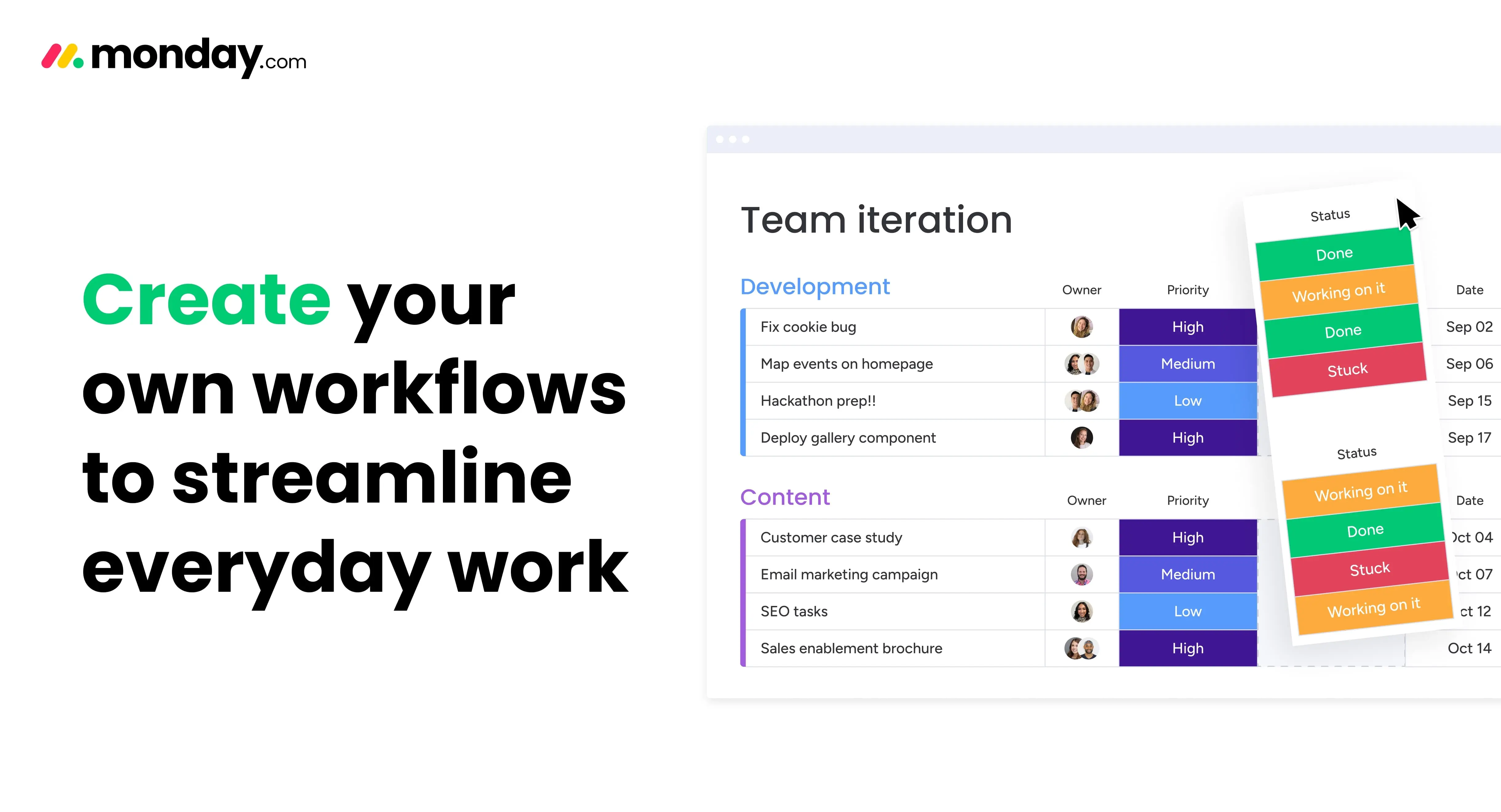
7. Monday.com
The name of this tool might put you off at first, but it's actually a pretty good solution for running every aspect of your work, from project management to resource allocation.
Source: G2
When you use Monday.com, it's like playing with Lego. You have easy-to-use building blocks like integrations and automations to build your workflow.
It's a flexible tool, giving you everything you need to customize the project however you see fit, tailored to your use case and company size. Plus, it scales with your business so you'll never fall behind your competition.
"I've used it for about 5 – 6 years now and it has saved so much time and taken care of a lot of the manual admin processes. The automation is really flexible, and the ability to capture new requests via their forms [...] is such a timesaver."
Top features
Task management: This tool lets you assign ownership, set deadlines, and manage tasks easily, with plenty of viewing options like kanban, Gantt charts, and dashboards.
Project management: Monday.com is all about managing projects and ensuring your team completes them on time. With this efficient platform, it's easy to set goals and navigate projects from beginning to end.
Resource management: Every project needs careful resource allocation; Monday.com ensures resources go to the right place to maximize efficiency.
Use cases
Monday.com is for marketing, sales, product development, and HR teams, no matter the size and industry.
Bring your resources to Monday.com by integrating it with Guru. You'll enable better collaboration and your teams will be happier when they get what they want at their fingertips.
8. Microsoft SharePoint
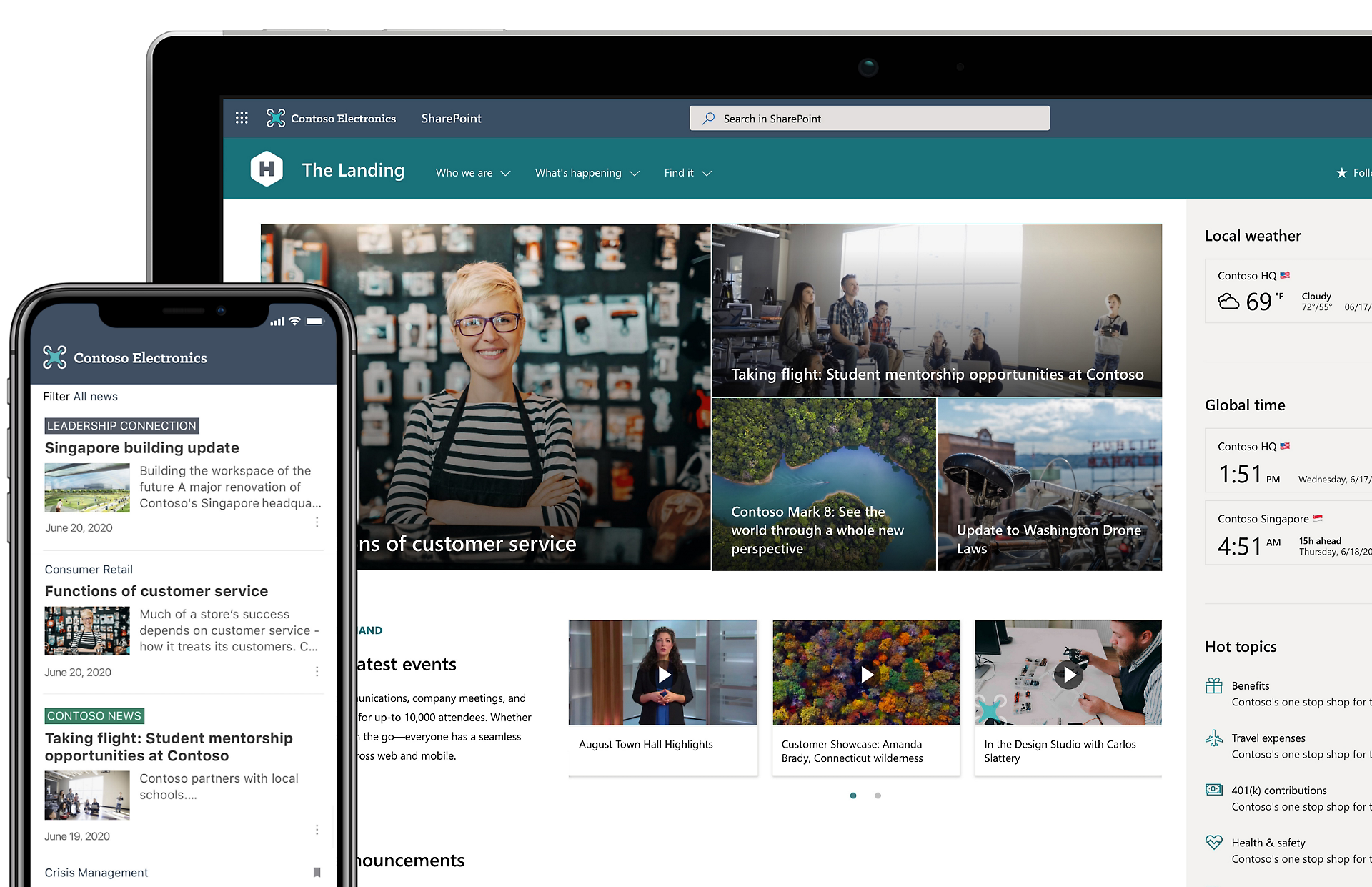
Microsoft SharePoint is a collaboration platform that streamlines teamwork by allowing companies to share files easily and securely.
Source: Microsoft
It's a place where you can collaborate, communicate, sync, and control your content, allowing you to share files, data, news, and resources across the company, on any device.
Moreover, this business communication software allows you to customize the services for all your business needs, so you'll only see what truly matters to you.
Microsoft SharePoint is a cloud-based tool, so, instead of having to install it on-site, you can subscribe to Microsoft 365 or the standalone service.
"The most helpful thing about Microsoft SharePoint is that you have access to all work-related files in one place! You can access it from different computers, phones, or tablets and the information is always there."
Top features
Intranet pages: By using custom metadata, SharePoint can organize and target content more effectively, which means it'll reach your target audience faster.
File management: SharePoint was designed to manage files, and that's what it does best by allowing you to share them easily. You have multiple permission levels that keep your docs safe and secure.
Content creation: This tool doesn't only manage your files, but also helps you create different types of news, announcements, and branded pages.
Use cases
Microsoft SharePoint is suitable for businesses of all sizes from different industries.
And SharePoint integrates with Guru! By using the two, you'll streamline your workflows and get the knowledge you need whenever you need it most without hassle.
9. Loom
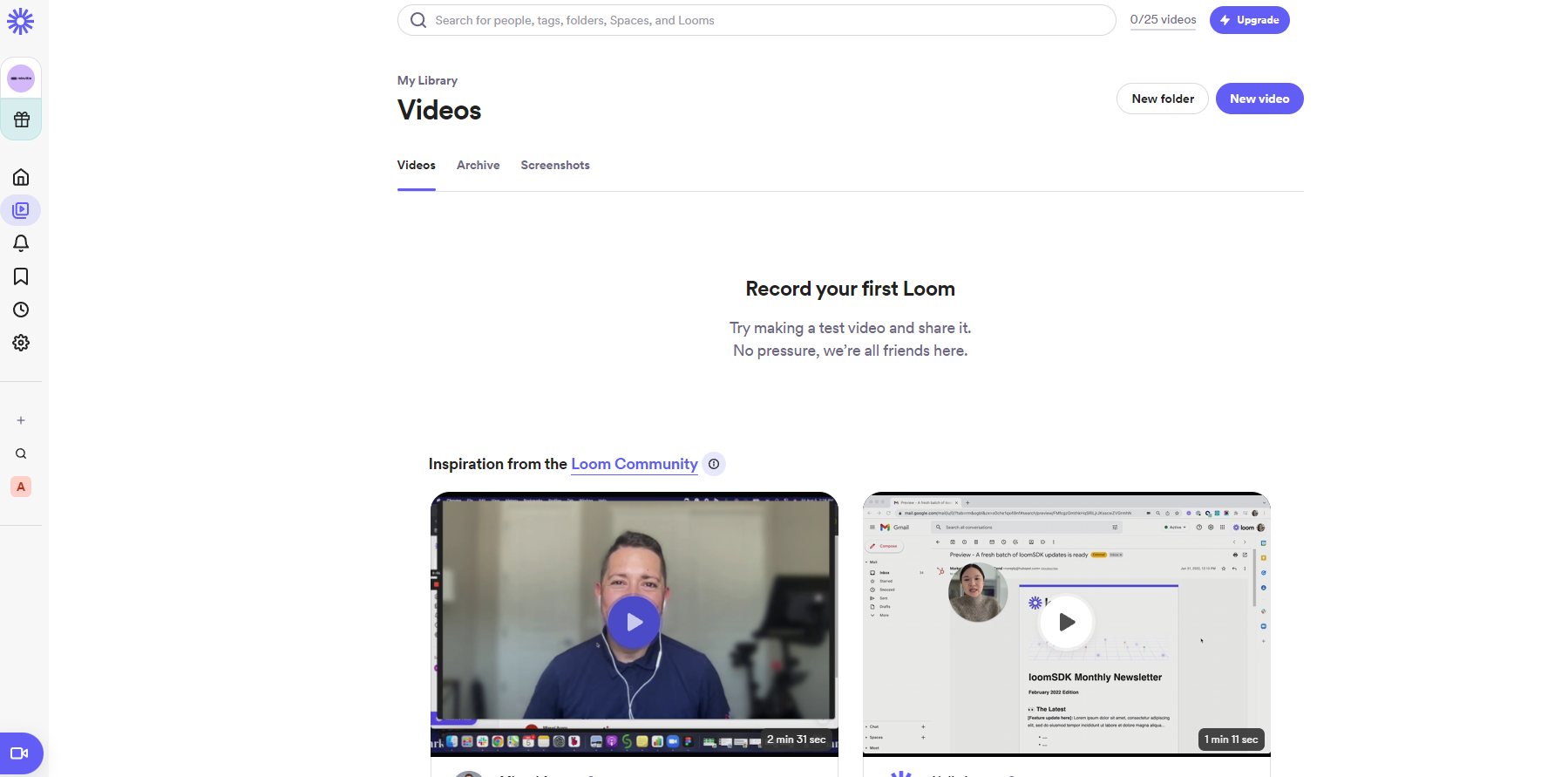
Contrary to popular belief, Loom is not a device to weave cloth and tapestry, but a free screen recorder for PC or Mac. It's a highly useful communication platform for async work.
Source: Loom
It's super easy to use. With a single button, you can record your screen and camera using Loom's Chrome extension, desktop, or mobile app.
Moreover, it's simple to get that perfect take and edit the video. Instead of recording the vid from scratch, you can rewind and trim unnecessary words or the annoying background noise.
"It is very easy to use. Loom has helped take our processes to an entirely new level. I don't know what I would do without Loom because without it I wouldn't be nearly as productive."
Top features
Loom AI: Loom's new AI workflows help you write documents or send a message easily; it even transforms your videos into text.
Comments and feedback: If you want to show appreciation, you can easily add emojis, comments, and tasks directly in the video message.
Transcripts: Language is not a barrier for Loom. It allows you to get your point across faster using captions and transcripts in over 50 languages.
Use cases
Loom is free for anyone who wants to use it. It's highly useful for marketing, sales, engineering, and design teams.
Want to make better videos? Then integrate Guru with Loom and get instant answers to all your questions without switching apps anymore.
10. Miro
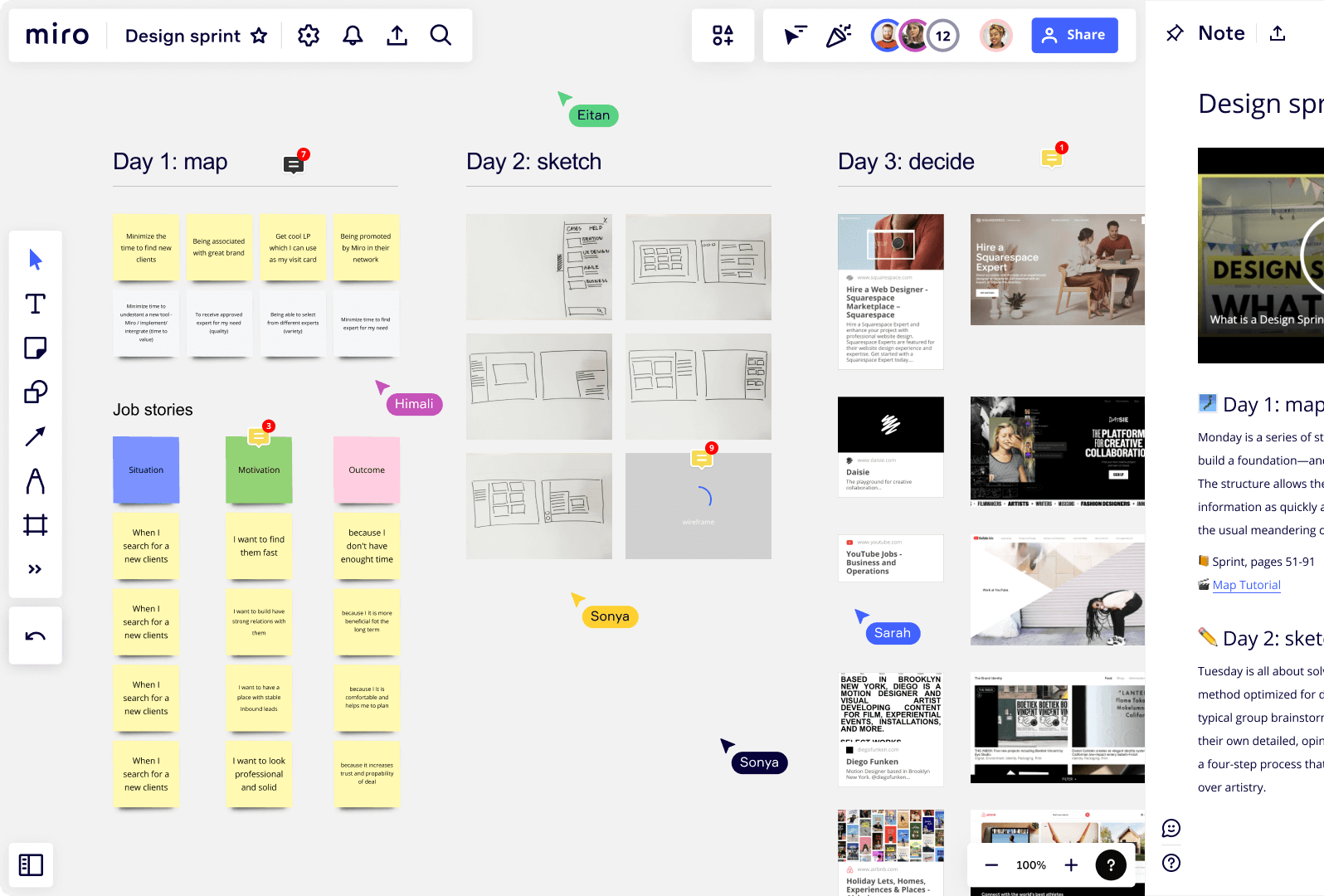
Miro offers a visual workspace and collaboration tool where teams of all sizes can brainstorm new ideas, bring them to life, and build innovative solutions together.
Source: G2
Since it's a visual workspace, it's easier to see your ideas with mind mapping, retrospectives, and technical diagramming. Plus, whenever you look at the whiteboard, you can see your collaborators moving around as cursors with their names attached to them.
This way, you can see who contributed with an idea or who left feedback on something.
"Miro is a powerful visualization tool to use when trying to engage with your stakeholders via online meetings. It was easy to use and [...] stakeholders are amazed how engaging and visual an online discussion [can] be."
Top features
Workshops: With Miro, you can create workshops and presentations that give your team a boost of energy by making them a part of the presentation.
Project management: Miro makes your projects easier to visualize, as you can see the relationships between tasks through kanbans, cards, and flowcharts.
Diagramming: Miro's powerful diagrams help teammates build their next projects together, while also understanding what's happening.
Use cases
Miro is ideal for plenty of teams, including engineering, IT teams, UX design, marketing, sales, etc.
To make your projects easier to follow, integrate Miro with Guru. Together, you'll gain the power and control to bring your knowledge wherever you go, enabling better collaboration.
11. Notion
If you have no notion of which communication software to choose, maybe this one will tickle your fancy. Notion is a connected workspace that allows teams to create wikis, docs, and projects, but also take notes and manage tasks.

Source: G2
Now, Notion is also powered by artificial intelligence, which means you'll get an AI assistant that helps you get answers in seconds, auto-fill tables when something is unclear, and write better.
"Notion is a very powerful note-taking application with sooo many awesome features. Basics of note-taking and page creation are intuitive. It's the advanced features that take more time to master."
Top features
Note-taking: Notion makes it simple to take meeting notes that allow you to get your team members all on the same page.
Wiki: Tired of disorganized spaces? Notion centralizes all your knowledge, from brand guidelines to best practices, in a single space.
Project management: With Notion, you can easily manage your projects from start to finish, minimizing the context switch.
Use cases
Notion is a solution for enterprises, small businesses, and for personal use.
Get the answers you seek in seconds by integrating Notion with Guru. Through the combined power of both, you can streamline your business operations and make it easier to organize your work.
12. Asana
Last on our list, but certainly worth your time and attention, is Asana, a work management tool teams can use to streamline projects and tasks online.

Source: G2
From daily tasks to strategic initiatives, Asana is the perfect tool for moving with your projects faster, bringing clarity to your tasks, and accomplishing your goals.
It's a scalable and flexible solution with quality features like project views, status updates, custom fields, reporting dashboards, and more.
"Asana is so easy to use — you can jump right in and have a really organized to-do list or project with very little effort."
Top features
Time tracking: How much are you spending time on your work? If you don't know, Asana can help you cut out the guesswork and measure exactly how long a task takes.
Status updates: Asana has time-saving automations that allow you to see your progress, but also get reminders when something is changed or done.
Reporting dashboards: Stay on top of things by visualizing your data in real time. Create dashboards and reports with just a few clicks to find new opportunities or blockers.
Use cases
Asana is suitable for teams in operations, marketing, and IT.
Curious to know if Asana integrates with Guru? Here's your answer: it does! See how the two work together to bring you a new level of productivity and innovation here.
How to choose the best communication software for your business needs
When choosing communication software, evaluate these key criteria:
User-friendly interface: Your team might have non-technical users who don't know how to use certain software. If the communication platform you choose is hard to learn, then avoid it. Instead, choose an intuitive tool, so it's easier for members to communicate what they need.
Integrations: Your chosen communication platform should integrate with your existing tools, so you don't constantly switch between apps when you want to ask something. Plus, it ensures a cohesive workflow that saves time and reduces mistakes, and it should support centralized access controls like single sign-on (SSO) via SAML.
Usability: In essence, your tool should be easy to use, as you want your employees to actually use it to communicate. That's why it should have features (like the ones discussed earlier) that make it simple to get your point across. Moreover, choose a tool that has tutorials and training guides to teach employees to use the solution properly.
Pricing: Not gonna lie, some business communication tools are pricey and, even if some are free, they might not offer all the capabilities you need to streamline your operations. Look for tools that fit your budget and needs; most have monthly plans that are very affordable for all kinds of businesses.
Data security and compliance: Communicating might be beneficial for your business, but it does come with security risks if sensitive data is involved. Make sure the tool of your choice has robust security features like end-to-end encryption and compliance with industry standards (GDPR, HIPAA, etc.), and organizations can reference the NIST Cybersecurity Framework (CSF) 2.0 for detailed guidance. It's also wise to look for vendors with recognized security certifications such as ISO/IEC 27001.
Scalability and flexibility: This is very important as it can make or break your business. The communication software of your choice should scale as your business grows, especially since smaller organizations are 2.7 times more likely to report successful digital transformations than large enterprises, highlighting the challenge of scaling. If it can't handle your evolving needs or let you add and remove features as needed, then it's not the one.
There are many different communication platforms designed for specific use cases, including internal communication, video conferencing, project management, instant messaging, document storage, and modern intranets.
The bottom line
Has this guide made it easier to choose the best business communication software for your needs? We hope so. With the right criteria in mind, you’re well-equipped to make a confident decision.
If you’ve already set your sights on Guru, you’re in luck. See how Guru delivers trusted answers across your tools and builds trust into every answer.
Key takeaways 🔑🥡🍕
What are the main types of business communication tools?
What is the most popular business communication software?
How do you measure the success of communication software implementation?
What is the most effective form of business communication?
The most effective form of business communication is often considered to be face-to-face meetings, whether in person or via video conferencing, as they allow for immediate feedback and clearer understanding.
Which platform is best to use in communication?
The platform that's best to use in communications varies from company to company depending on their business needs. Some of the top choices include Guru, Slack, Miro, and more.
What is the most effective communication tool?
Email remains one of the most effective communication tool for formal business communication, providing a reliable way to document and track conversations.
Can you list 5 types of communication software?
Sure, here are five types of communication software:
- Slack
- Microsoft Teams
- Zoom
- Google Meet
- Asana


